Learning how to code in Python for web development opens up numerous opportunities to build dynamic, robust, and scalable websites. Its versatility and simplicity make it an excellent choice for both beginners and experienced developers aiming to create efficient web applications.
This guide provides a comprehensive overview of Python’s role in modern web development, from setting up the development environment to deploying your web projects. Whether you’re interested in frameworks like Django and Flask or database integration and deployment strategies, this resource aims to equip you with the essential knowledge to succeed.
Introduction to Python for Web Development
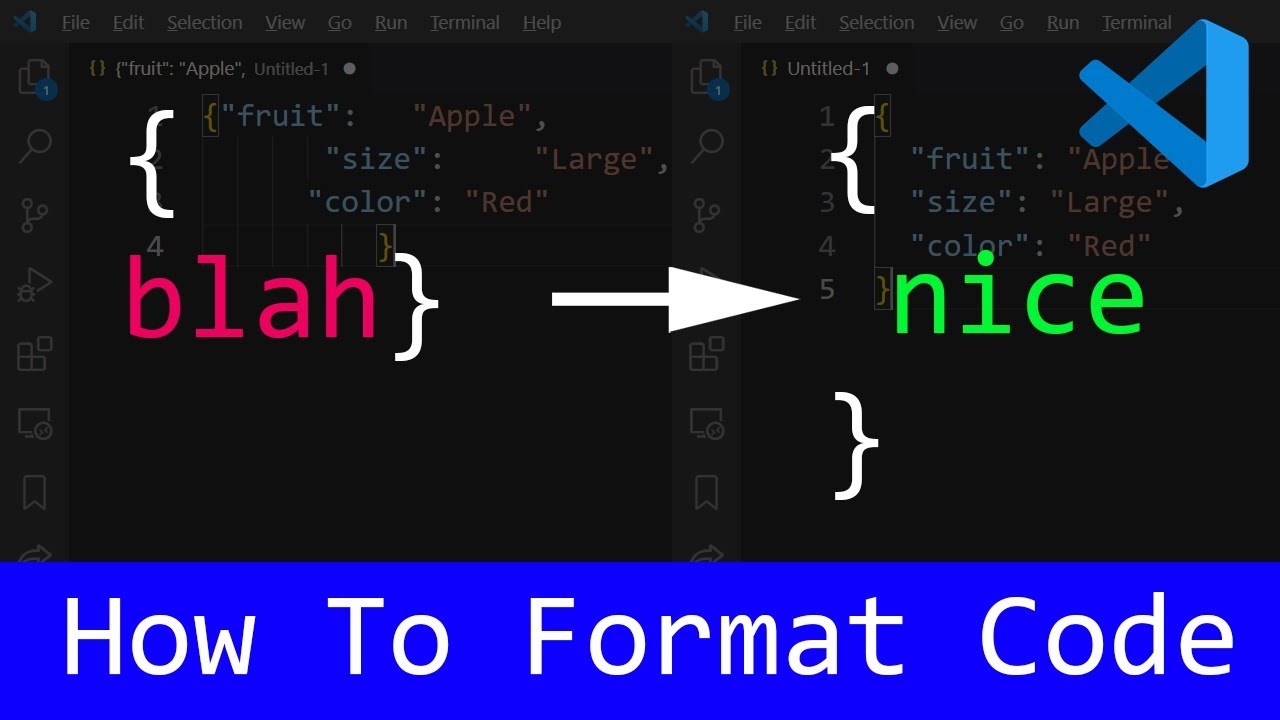
Python has established itself as a prominent programming language in the realm of web development due to its simplicity, versatility, and a robust ecosystem of frameworks and tools. Its widespread adoption across various industries underscores its importance, making it a valuable skill for aspiring and professional web developers alike. Python’s clear syntax and readability facilitate rapid development and ease of maintenance, which are critical factors in modern web projects.
In comparison to other programming languages used in web development, Python offers unique advantages that enhance productivity and foster innovation. Its extensive libraries and frameworks, such as Django and Flask, streamline the process of building scalable and secure websites. Moreover, Python’s compatibility with emerging technologies like artificial intelligence and machine learning opens new avenues for integrating advanced features into web applications, positioning it as a strategic choice for future-proof development.
Comparative Features of Python and Other Web Development Languages
This section provides a comparative overview of Python with other prevalent web development languages, highlighting their core features, strengths, and typical use cases. This comparison aids developers and organizations in making informed decisions aligned with their project requirements and technical preferences.
| Feature | Python | JavaScript | PHP | Ruby |
|---|---|---|---|---|
| Syntax | Clear, readable, and concise, emphasizing simplicity and ease of learning. | Event-driven, flexible, with a syntax that accommodates both functional and imperative styles. | Embedded within HTML; syntax can be verbose but straightforward for web tasks. | Elegant and expressive, prioritizing developer happiness with a focus on simplicity. |
| Framework Ecosystem | Robust, with Django, Flask, Pyramid enabling rapid development and scalability. | Extensive, with Node.js, React, Angular, Vue.js facilitating full-stack and frontend development. | Popular frameworks include Laravel, Symfony, and CodeIgniter, supporting diverse web projects. | Ruby on Rails dominates for rapid development and convention-over-configuration approach. |
| Ease of Learning | High, especially for those new to programming due to its straightforward syntax. | Moderate; requires familiarity with asynchronous programming and event loops. | Moderate; easier for those with prior PHP experience but less intuitive for newcomers. | Moderate; designed to be intuitive but may require understanding of Ruby’s conventions. |
| Performance | Generally slower than compiled languages but sufficient for most web applications; can be optimized with tools like Cython. | High, especially in non-blocking I/O operations; suitable for real-time applications. | Decent performance; optimized via opcode caching and other techniques. | Good, with efficient handling of web requests; performance can be enhanced with optimizations. |
| Community and Support | Large, active, with extensive documentation and tutorials. | Vast, with a vibrant community supporting frontend and backend development. | Established community with abundant resources and a mature ecosystem. | Dedicated community, especially among startups and rapid development projects. |
Setting Up the Development Environment

Establishing a robust and efficient development environment is a fundamental step in building web applications with Python. Proper setup ensures smooth workflow, dependency management, and compatibility across different projects. This process involves installing Python itself, selecting suitable editing tools, configuring isolated environments for project-specific packages, and installing web frameworks such as Django or Flask to streamline web development tasks.
Developers benefit from a structured setup that minimizes conflicts and simplifies updates. By following best practices in environment configuration, developers can maintain cleaner codebases, collaborate effectively, and deploy applications reliably. The subsequent sections provide detailed guidance on each step to help you create a stable and productive development environment for Python web development.
Installing Python and Choosing Development Tools
Python installation is the initial step, serving as the foundation for all subsequent development activities. Selecting an appropriate Integrated Development Environment (IDE) or text editor enhances productivity and code management.
- Download Python: Visit the official Python website (https://www.python.org/downloads/) and choose the latest stable version compatible with your operating system. Follow the installation instructions, ensuring that the “Add Python to PATH” option is selected for easy command-line access.
- Select an IDE or Text Editor: Popular options include Visual Studio Code, PyCharm, Sublime Text, or Atom. These tools offer syntax highlighting, debugging, and integrated terminal features, which are invaluable for web development projects.
- Install the Chosen Tool: Download and follow the setup procedures specific to the selected IDE or editor. Customize preferences such as themes, extensions, and linters to optimize your workflow.
Using a user-friendly IDE or editor accelerates development, simplifies code navigation, and helps manage project files efficiently.
Configuring Virtual Environments for Web Projects
Virtual environments are essential for isolating project dependencies, preventing conflicts, and maintaining a clean workspace. They allow each web project to have its own set of packages and Python version, ensuring consistency and reproducibility.
- Create a Virtual Environment: Open your command-line interface and navigate to your project directory. Execute the command:
python -m venv env
This creates a directory named ‘env’ that contains the isolated environment.
- Activate the Virtual Environment:
- On Windows:
.\env\Scripts\activate
- On macOS/Linux:
source env/bin/activate
- On Windows:
- Manage Dependencies: Once activated, you can install required packages using pip:
pip install package_name
To freeze current dependencies into a file for sharing or deployment:
pip freeze > requirements.txt
- Deactivate the Environment: When finished, deactivate with:
deactivate
This workflow ensures that each project maintains its own dependency set, simplifying updates and avoiding version conflicts across multiple web applications.
Installing and Configuring Web Frameworks
Choosing and installing a web framework like Django or Flask provides the necessary scaffolding and tools to develop web applications efficiently. These frameworks facilitate routing, database integration, user authentication, and other common web functionalities.
Below are the steps involved in installing and configuring these frameworks within your virtual environment:
- Install the Framework: Activate your virtual environment and run the appropriate pip command:
pip install django
or
pip install flask
- Verify the Installation: Confirm successful installation by checking the version:
python -m django –version
or
python -c “import flask; print(flask.__version__)”
- Initialize a New Web Project: For Django:
django-admin startproject myproject
For Flask, create a main application file (e.g., app.py) with basic route definitions.
- Configure Framework Settings: Adjust configuration files or scripts to set parameters such as database connections, static files, or middleware, based on project requirements. For Django, modify settings.py; for Flask, set configurations within the app.py or separate config modules.
Regularly update your frameworks and dependencies to benefit from security patches, new features, and performance improvements, ensuring your web applications remain robust and secure.
Building Your First Web Application with Python
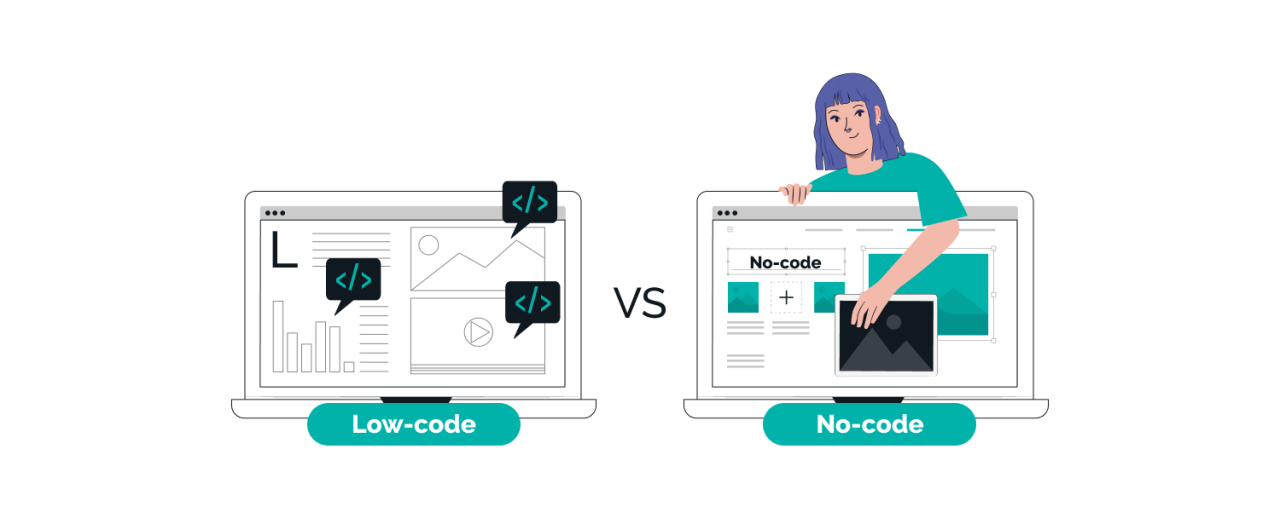
Embarking on web development with Python involves creating applications that respond to user requests, serve dynamic content, and integrate with databases or other services. This section guides you through constructing a simple yet functional web app using popular frameworks like Flask and Django. Developing such foundational projects helps solidify understanding of core concepts such as routing, request handling, and project organization.
By following these procedures, you will gain practical experience in setting up a Python-based web environment, defining URL mappings, and managing different types of HTTP requests. Additionally, comparing boilerplate code snippets for Flask and Django will clarify their structural differences and assist in choosing the most suitable framework for your project requirements.
Creating a Minimal Web Application with Flask or Django
Starting with a minimal web application provides a clear understanding of the essential steps involved in web development with Python. Both Flask and Django offer streamlined methods for creating simple projects that can be expanded later. The process involves installing the framework, setting up project files, and writing basic code to handle incoming requests.
- Install the framework: Use pip to install Flask or Django. For Flask, execute
pip install Flask
. For Django, execute
pip install Django
.
- Create project directory: Establish a dedicated folder for your project, ensuring organized storage of all files.
- Generate initial project files: With Flask, create a main application file (e.g., app.py). With Django, run
django-admin startproject projectname
to generate the default structure.
- Write minimal code: Define a basic route or URL pattern that responds with simple content when accessed via a browser.
By completing these steps, you will have a working web server capable of handling requests and rendering responses, forming the baseline for more complex functionalities.
Setting Up URL Routing and Handling HTTP Requests
Routing determines how URLs are mapped to functions or views within your application, and request handling specifies how data sent by users is processed. Proper setup of routing and request management is fundamental to creating interactive web apps.
- Routing in Flask: Use the @app.route decorator to specify URL patterns. Functions associated with these routes return content or templates. Example:
- Routing in Django: Define URL patterns in a urls.py file, linking them to views. Example:
- Handling HTTP requests: Access request data such as form submissions, query parameters, or headers within view functions. Both frameworks provide objects to facilitate this, ensuring dynamic responses based on user input.
@app.route(‘/hello’)
def hello():
return ‘Hello, World!’
from django.urls import path
from . import views
urlpatterns = [
path(‘greet/’, views.greet),
]
Designing Example Project Structure
An organized project structure enhances maintainability and clarity, especially as applications grow more complex. Typical structure includes directories for templates, static files, and separate modules for different functionalities.
| Component | Flask | Django |
|---|---|---|
| Project Root | project_name/ | project_name/ |
| Application Files | app.py (main application) | app/ (application folder) |
| Templates | templates/ | app/templates/ |
| Static Files | static/ | app/static/ |
| Configuration | app.py (or main file) | settings.py |
| URL Patterns | Defined within the main app.py file | urls.py in project or app folder |
Adhering to these structural conventions ensures that your project remains scalable and easy to navigate, especially when collaborating with others or deploying to production environments.
Comparison of Boilerplate Code Snippets for Flask and Django
Understanding the fundamental boilerplate code helps in quickly setting up new projects and recognizing framework-specific patterns. The following table compares minimal setup snippets, highlighting their similarities and differences.
| Aspect | Flask | Django |
|---|---|---|
| Initial Setup |
from flask import Flask

app = Flask(__name__)

@app.route('/')
def home():
    return 'Welcome to Flask!'

if __name__ == '__main__':
    app.run()
|
import django
from django.http import HttpResponse
from django.urls import path
from django.core.wsgi import get_wsgi_application

def home(request):
    return HttpResponse('Welcome to Django!')

urlpatterns = [
    path('', home),
]

application = get_wsgi_application()
|
| Execution Command | python app.py | manage.py runserver (after creating project with django-admin) |
| Framework-specific Features | Simple and flexible, minimal configuration | Includes built-in features like ORM, admin interface, and middleware |
Core Python Web Development Concepts
Understanding the foundational concepts of routing, templating, and views is essential for developing dynamic and responsive web applications using Python frameworks. These elements work together to handle user requests, generate appropriate responses, and render content seamlessly. A solid grasp of how to embed Python variables into templates and manage user input effectively enhances the interactivity and robustness of your web solutions.
Mastering these core principles provides the groundwork for building scalable and maintainable web applications with Python.
In Python web frameworks such as Flask and Django, routing determines how URLs are mapped to specific functions or views, which process requests and generate responses. Templates serve as the blueprint for rendering HTML pages dynamically, often incorporating data passed from the backend. Views act as the intermediary, handling business logic, managing data, and orchestrating what content to display. Effective use of templating engines allows developers to embed Python variables directly into HTML, enabling personalized and context-aware content delivery.
Additionally, handling form data and user input securely and efficiently is vital for creating interactive applications. This involves methods for processing form submissions, validating input, and providing user feedback, ensuring a smooth user experience and data integrity. Below are some key aspects and practices associated with these core concepts.
Routing, Templates, and Views in Python Web Frameworks
Routing establishes the mechanism through which web frameworks determine which part of the application responds to specific URL requests. In Flask, routes are defined using decorators, associating URL patterns with Python functions. Django employs URLconf modules to map URL patterns to views, facilitating organized and scalable routing structures.
Templates are files that generate HTML dynamically by combining static markup with embedded Python code. Templating engines such as Jinja2 (used by Flask) or Django Template Language (DTL) enable developers to insert variables, control flow statements, and logic directly within HTML. Views are Python functions or classes that process incoming requests, perform necessary computations or data retrieval, and return responses—often rendering templates with context data.
Embedding Python Variables into HTML Templates
Embedding variables within templates allows for dynamic content generation, personalized pages, and data-driven displays. Templating engines use special syntax to insert Python variables into HTML code, making content adaptable based on user input, database queries, or application state.
For example, in Jinja2, the double curly braces variable_name is used to output the value of a Python variable into the HTML. This integration simplifies the process of creating responsive pages that reflect real-time data, such as user profiles, product details, or search results.
Handling Form Data and User Input
Processing user input and form submissions is a cornerstone of interactive web applications. Key procedures include retrieving form data from request objects, validating inputs to ensure correctness and security, and providing feedback to users. Proper handling prevents common vulnerabilities such as SQL injection and cross-site scripting.
Typical steps involve accessing form data via request methods, such as request.form in Flask or request.POST in Django, then applying validation rules to check data types, required fields, and value ranges. When validation fails, error messages are returned to inform users and prompt corrections. Successful validation leads to data storage, further processing, or navigation to different pages.
Example of Data Validation in a Form:
def validate_registration_form(form_data):
errors = []
if not form_data.get(’email’) or ‘@’ not in form_data.get(’email’):
errors.append(‘Invalid email address.’)
if len(form_data.get(‘password’, ”)) < 8:
errors.append(‘Password must be at least 8 characters long.’)
if errors:
return False, errors
return True, None
This function demonstrates basic validation by checking email format and password length, ensuring data integrity before further processing.
Working with Databases in Python Web Apps
In modern web development, integrating databases into Python applications is essential for managing persistent data such as user information, product catalogs, or transactional records. Connecting Python web applications to various types of databases enables dynamic content delivery and sophisticated data handling. This section explores how to establish these connections, perform CRUD operations, and utilize Object-Relational Mapping (ORM) tools to streamline database interactions.
Understanding database integration involves selecting the appropriate database system—whether SQL or NoSQL—and leveraging the right tools to facilitate efficient data management. Properly executing create, read, update, and delete operations through ORMs not only simplifies coding efforts but also enhances application scalability and maintainability.
Connecting Python Web Applications to SQL and NoSQL Databases
Establishing a connection between a Python web app and a database requires configuring connection parameters, such as hostname, port, database name, and authentication credentials. For SQL databases like MySQL, PostgreSQL, and SQLite, Python offers several libraries, including mysql-connector, psycopg2, and the built-in sqlite3. These libraries allow executing SQL commands directly and managing transactions. For NoSQL databases such as MongoDB, the pymongo library provides a straightforward API to perform document-based operations.
For example, connecting to a PostgreSQL database involves importing the psycopg2 module and establishing a connection object:
import psycopg2
conn = psycopg2.connect(host='localhost', database='mydb', user='user', password='password')
Similarly, connecting to MongoDB would involve:
from pymongo import MongoClient
client = MongoClient('mongodb://localhost:27017/')
db = client['mydb']
Executing CRUD Operations Using ORM Tools
Object-Relational Mapping (ORM) tools abstract the complexity of raw SQL queries by representing database tables as Python classes, enabling developers to interact with databases using familiar Python syntax. Popular ORM tools include SQLAlchemy and Django ORM, each offering comprehensive features for database management.
Using ORM tools, creating, reading, updating, and deleting data involves defining models, establishing sessions or connections, and invoking class methods. For instance, with SQLAlchemy, a model class representing a user might look like:
from sqlalchemy import Column, Integer, String, create_engine
from sqlalchemy.ext.declarative import declarative_base
from sqlalchemy.orm import sessionmaker
Base = declarative_base()
engine = create_engine('postgresql://user:password@localhost/mydb')
Session = sessionmaker(bind=engine)
session = Session()class User(Base):
__tablename__ = 'users'
id = Column(Integer, primary_key=True)
name = Column(String)
email = Column(String)
Performing a CRUD operation, such as inserting a new user, involves creating an instance and adding it to the session:
new_user = User(name='Jane Doe', email='[email protected]')
session.add(new_user)
session.commit()
To retrieve data, executing queries like:
users = session.query(User).filter_by(name='Jane Doe').all()
Database migrations—alterations to the database schema—are handled efficiently with ORM migration tools such as Alembic for SQLAlchemy or built-in migration systems in Django. These tools generate migration scripts based on model changes and apply them to the database, ensuring data integrity and version control.
Database Options, ORM Tools, and Their Features
| Database System | Type | Popular ORM Tools | Key Features |
|---|---|---|---|
| MySQL | SQL | SQLAlchemy, Django ORM | Robust support, extensive community, reliable transactions |
| PostgreSQL | SQL | SQLAlchemy, Django ORM, Pony ORM | Advanced features, ACID compliance, extensibility |
| SQLite | SQL | sqlite3 (built-in), SQLAlchemy | Lightweight, serverless, suitable for development and small apps |
| MongoDB | NoSQL (Document-based) | PyMongo, MongoEngine | Flexible schema, high scalability, native JSON support |
| Redis | NoSQL (Key-Value Store) | redis-py | In-memory data store, fast performance, caching capabilities |
Enhancing Web Applications in Python
Building a robust web application extends beyond basic functionality, requiring integration with external services, secure user management, and optimized performance. These enhancements not only improve user experience but also increase the application’s scalability, security, and efficiency. Implementing these techniques effectively ensures that your Python-based web application remains competitive and reliable in real-world scenarios.
In this section, we explore key strategies for elevating your web application development process in Python. From integrating APIs and external services to securing user data, and optimizing performance, these practices are essential for creating sophisticated, user-friendly web platforms.
Integrating APIs and External Services
Modern web applications often rely on third-party APIs and external services to extend functionality, access external data, or incorporate payment gateways, social media sharing, or analytics. Proper integration enhances the application’s capabilities and provides users with a seamless experience.
Appropriate API integration involves making HTTP requests, handling responses, and managing errors efficiently. Python offers powerful libraries such as requests for HTTP communication and specialized SDKs for various services. Using RESTful APIs, developers can fetch data from external sources, such as weather updates, stock prices, or social media feeds, and display this data within the application.
Example: Integrating a weather API involves sending a GET request with location parameters and parsing the JSON response to display current weather conditions.
 import requests

response = requests.get('https://api.weather.com/v3/wx/conditions/current', params=
    'apiKey': 'your_api_key',
    'geocode': '37.7749,-122.4194',
    'format': 'json'
)

if response.status_code == 200:
    weather_data = response.json()
    # Process and display weather data
else:
    # Handle errors appropriately
Secure handling of API keys and sensitive data involves storing credentials in environment variables or configuration files outside the main codebase. Additionally, implementing retries and rate limiting ensures robust integration without overwhelming external services or risking application downtime.
User Authentication and Authorization
Implementing reliable user authentication and authorization mechanisms is critical for protecting user data and controlling access to application features. These security practices authenticate user identities and determine their permissions within the system.
Common approaches include session-based authentication, token-based authentication with JSON Web Tokens (JWT), and OAuth protocols for third-party login integrations. Python frameworks like Django and Flask provide built-in support or extensions such as Django Rest Framework or Flask-Login to facilitate secure user management.
Developers should implement password hashing, secure cookies, and multi-factor authentication to enhance security. Role-based access control (RBAC) enables granular permissions, restricting sensitive operations to authorized users only.
| Authentication Method | Advantages | Considerations |
|---|---|---|
| Session-based | Stateful, easy to implement with frameworks | Requires server memory, less scalable for distributed systems |
| JWT | Stateless, scalable, suitable for RESTful APIs | Token expiration management, secure storage required |
| OAuth | Enables third-party login, widely adopted | Complex setup, dependency on external providers |
Efficient user management hinges on combining secure authentication methods with proper authorization strategies, ensuring that sensitive data and functionalities are protected against unauthorized access.
Optimizing Application Performance
Performance optimization is fundamental to delivering a responsive and scalable web application. Techniques such as caching, database indexing, and asynchronous processing help minimize latency and reduce server load.
Caching strategies include in-memory caches like Redis or Memcached for storing frequently accessed data, reducing database queries and response times. Implementing server-side caching for static content and partial page caching can significantly improve load times.
Database indexing improves query performance by minimizing data retrieval times, particularly in applications with large datasets. Proper schema design, normalization, and query optimization are vital for efficient database operations.
Asynchronous processing using Python’s asyncio or task queues like Celery enables handling long-running tasks without blocking user requests. This approach ensures that the application remains responsive even under heavy load.
Applying layered caching and asynchronous task execution results in a scalable web application capable of handling increased traffic and complex data operations efficiently.
Middleware and Request Handling Structures
Middleware components in Python web frameworks serve as hooks into the request-response cycle, enabling functionalities such as logging, security checks, and request modification. Structuring middleware effectively enhances modularity and maintainability.
In frameworks like Flask or Django, middleware can be organized as a chain of functions or classes that process incoming requests before reaching the core application logic. Properly designed middleware can authenticate requests, handle errors, or inject context data.
Request handling structures often involve routing mechanisms that map URLs to specific handlers or controllers. Using pattern matching and parameter extraction, developers can create dynamic and flexible routes to serve various endpoints efficiently.
 # Example of middleware in Flask
from flask import Flask, request, g

app = Flask(__name__)

@app.before_request
def before_request():
    # Logging request details
    g.start_time = time.time()
    # Additional security checks or context setting

@app.after_request
def after_request(response):
    duration = time.time()
-g.start_time
    # Log response time, add headers if necessary
    return response
Effective middleware design ensures that common functionalities are centralized, reducing code duplication and simplifying maintenance. Combining middleware with well-structured request routing creates a resilient and flexible web application architecture.
Deployment and Hosting of Python Web Projects

After developing a Python web application, deploying it efficiently is essential to ensure accessibility, performance, and scalability. Proper deployment transforms your local development environment into a live, accessible service on the internet or intranet, allowing users to interact with your application seamlessly. This process involves preparing your codebase, choosing an appropriate hosting environment, and configuring deployment tools to handle web server operations.
Effective deployment not only involves code transfer but also includes setting up the server environment, managing dependencies, configuring web servers, and implementing security measures. Selecting the right hosting platform and tools can significantly influence your application’s reliability and user experience, making it a critical phase in web development with Python.
Preparing a Python Web App for Deployment
Preparing your Python web application for deployment entails several vital steps to ensure smooth operation in a production environment:
- Code Optimization: Remove debugging statements, optimize database queries, and ensure code adherence to best practices for performance and security.
- Configuration Management: Use environment variables or configuration files to manage sensitive data such as API keys, database credentials, and secret keys, avoiding hardcoding.
- Dependency Management: Define all required external libraries and packages in a requirements.txt file or a Pipfile, enabling consistent environment setup.
- Static Files Handling: Collect static assets like CSS, JavaScript, and images using frameworks’ built-in commands (e.g., Django’s collectstatic) and configure static file serving appropriately.
- Testing and Validation: Conduct thorough testing, including unit, integration, and load tests, to verify application stability and performance under expected traffic.
- Security Enhancements: Implement SSL certificates, update security headers, and perform vulnerability assessments to safeguard the application and its data.
Once these steps are completed, packaging your application with tools like Docker or ensuring compatibility with the target hosting environment facilitates smoother deployment.
Hosting Options for Python Web Applications
Choosing an appropriate hosting environment is crucial for your application’s accessibility and scalability. The options range from traditional servers to cloud-based solutions, each offering distinct advantages:
- Traditional Virtual Private Servers (VPS): Provide dedicated control over the environment, allowing customization but requiring manual server management. Examples include DigitalOcean and Linode.
- Platform-as-a-Service (PaaS): Offer managed hosting with simplified deployment processes, automatic scaling, and integrated services. Popular options include Heroku, PythonAnywhere, and Google App Engine.
- Cloud Infrastructure: Offer scalable resources with extensive control and customization options. Amazon Web Services (AWS), Microsoft Azure, and IBM Cloud are leading providers in this category.
- Container-Based Hosting: Utilize Docker containers for portability and consistency across environments, ideal for microservices architectures and CI/CD pipelines.
Each hosting option aligns with different project requirements, budget constraints, and technical expertise levels. Cloud services often provide more flexibility and scalability, while traditional servers may suit smaller or less dynamic applications.
Comparison of Deployment Tools
Deployment tools facilitate the process of serving Python web applications in production by managing server processes, load balancing, and containerization. The following table compares common deployment tools based on their features, ease of use, and typical use cases:
| Tool | Description | Use Case | Advantages | Limitations |
|---|---|---|---|---|
| Gunicorn | Python WSGI HTTP server for UNIX-based systems designed to serve Django, Flask, and other WSGI applications. | Production deployment of WSGI-compatible Python web apps on Linux servers. | Simple setup, high performance, extensive documentation. | Limited to UNIX environments, requires a reverse proxy for HTTPS and load balancing. |
| uWSGI | Robust application server that supports WSGI and other protocols, with extensive configuration options. | Serving Python applications with advanced deployment requirements, often combined with Nginx. | High configurability, supports multiple languages, efficient performance. | Steeper learning curve, complex configuration. |
| Docker | Containerization platform that packages applications and their dependencies into portable images. | Creating consistent deployment environments, facilitating CI/CD workflows, and isolating applications. | Portability, environment consistency, scalability. | Requires understanding of containerization concepts, additional setup for orchestration. |
Deploying Python Web Applications on Popular Platforms
Deployment procedures vary across platforms, but the core steps involve pushing code to the platform, configuring environment variables, setting up databases if necessary, and starting the web server. Below are common deployment workflows for popular platforms:
- Heroku:
- Create a Heroku account and install the Heroku CLI.
- Initialize a Git repository in your project directory if not already done.
- Prepare a Procfile specifying the web process, for example:
web: gunicorn myapp:app
.
- Ensure your requirements.txt is up to date with all dependencies.
- Push your code using Git:
git push heroku main. - Configure environment variables via Heroku Dashboard or CLI.
- Scale dynos if needed:
heroku ps:scale web=1. - Google App Engine:
- Install the Google Cloud SDK and initialize your project.
- Write an app.yaml configuration file specifying runtime, handlers, and scaling options.
- Deploy your application with:
gcloud app deploy. - Set environment variables using app.yaml or via Cloud Console.
- Azure App Service:
- Create a web app resource in Azure portal.
- Configure deployment source to connect with GitHub or local repository.
- Set application settings and environment variables through the portal.
- Deploy via continuous integration or manual push using Azure CLI.
Adhering to platform-specific deployment guidelines ensures optimal performance, security, and maintainability of your Python web applications in a live environment.
Ending Remarks
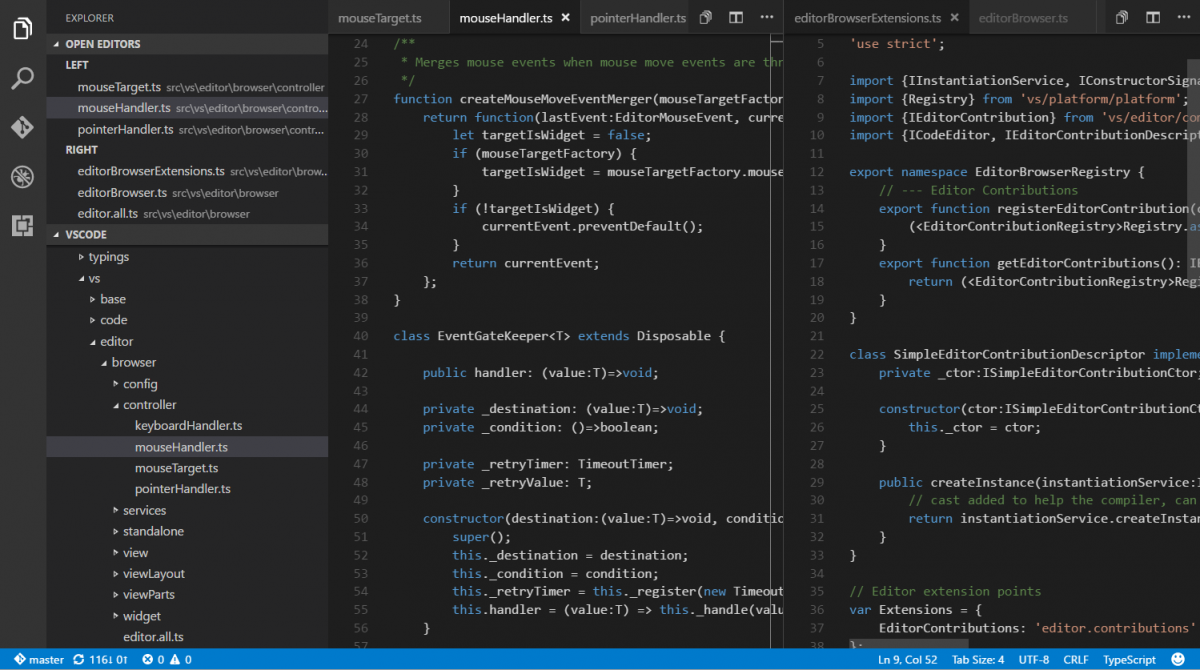
Mastering how to code in Python for web development empowers you to create innovative and high-performing websites. With the right tools and understanding of core concepts, you can transform ideas into functional online platforms efficiently and effectively, opening doors to countless possibilities in the digital world.