Learning to write Python code without the need for local installation opens up a world of flexibility and convenience for developers, students, and hobbyists alike. Whether you’re on a shared computer, working remotely, or simply prefer browser-based tools, there are numerous online platforms that allow you to run Python scripts seamlessly.
This guide explores various methods and tools available for coding in Python directly through your web browser. From web-based IDEs to cloud platforms, you’ll discover how to create, execute, and test Python programs without the hassle of setting up software locally, making your coding experience more accessible and efficient.
Overview of coding in Python without installation
Engaging with Python programming without the need for local installation offers a flexible and accessible approach to learning, developing, and testing code. Online platforms provide users with instant access to Python interpreters, eliminating the complexities of setting up software environments on individual devices. This method is especially advantageous for beginners, educators, and collaborative projects, as it streamlines the process and reduces technical barriers.
Running Python code online involves leveraging web-based interpreters and integrated development environments (IDEs) that execute code directly within a browser. These tools harness cloud computing resources, allowing users to write, run, and share Python scripts seamlessly. With the proliferation of such platforms, programmers of all skill levels can experiment with Python without worrying about compatibility issues or software configurations. This approach enhances learning experiences, accelerates prototyping, and fosters a collaborative coding environment across different locations and devices.
Methods of running Python code online without local setup
Using online Python interpreters, users can input code directly into a web interface and execute it instantly. These tools are typically accessible via web browsers, requiring no additional installations or configurations. Some platforms also support features such as syntax highlighting, code completion, and project management, making coding more efficient and user-friendly. Additionally, many services offer cloud storage options, enabling users to save and revisit their projects from anywhere with internet access.
Popular online Python interpreters and their features
Several online platforms have gained popularity due to their ease of use, feature sets, and community support. Below is a list of some of the most widely used online Python interpreters, along with their key features:
| Platform | Features | Accessibility |
|---|---|---|
| Replit |
|
Web browser, mobile apps available |
| Google Colab |
|
Web browser, Google account required |
| Trinket |
|
Web browser, free and paid plans |
| OnlineGDB |
|
Web browser |
| PythonAnywhere |
|
Web browser, registration required |
Advantages of coding Python online versus offline
Opting to code in Python online offers several distinct benefits compared to traditional offline development environments. These advantages primarily stem from the accessibility, ease of use, and collaborative capabilities inherent in web-based platforms.
- No local installation required: Users can start coding immediately without downloading or configuring any software, saving time and reducing technical challenges.
- Platform independence: As long as an internet connection and a web browser are available, coding can be performed on any device, including tablets and smartphones, providing remarkable flexibility.
- Automatic updates and maintenance: Online interpreters are typically maintained by service providers, ensuring access to the latest features and security patches without user intervention.
- Collaborative features: Many online platforms enable real-time collaboration, sharing, and version control, making team projects more efficient and manageable.
- Resource scalability: Cloud-based execution allows for handling computationally intensive tasks without taxing the user’s local hardware, often with access to GPU or TPU acceleration in platforms like Google Colab.
- Learning and experimentation: Beginners can rapidly experiment with code snippets, tutorials, and examples without worrying about software conflicts or setup issues, fostering a smoother learning curve.
While offline coding provides greater control over development environments and potentially better performance for large projects, the immediacy and convenience of online coding make it an increasingly popular choice for educational purposes, prototyping, and collaborative work.
Using web-based IDEs and code runners
Web-based Integrated Development Environments (IDEs) and code runners have revolutionized the way programmers access and execute Python scripts. These platforms provide a convenient, accessible, and collaborative environment for coding without the need for local installation, making them ideal for beginners, educators, and developers working on multiple devices. They eliminate the setup barriers and allow immediate coding, testing, and sharing of Python code from any internet-connected device.
Utilizing online IDEs involves creating an account, navigating through user-friendly interfaces, and leveraging built-in tools for writing, saving, and executing code. These platforms support various features such as syntax highlighting, auto-completion, version control, and real-time collaboration, which enhance learning and productivity. Moreover, they often include access to libraries, tools, and environments that replicate local setups, reducing the complexity of configuration and setup processes for new users.
Accessing and utilizing web IDEs like Replit, Trinket, and Google Colab
Accessing web-based IDEs typically involves visiting the platform’s website and signing up or logging in with an existing account. Each platform offers unique features tailored to different use cases:
- Replit: Offers a versatile environment supporting multiple programming languages, including Python. Users can start coding immediately with a simple “Create” button, which opens a project workspace. Replit supports real-time collaboration, hosting, and deploying projects directly from the environment.
- Trinket: Focuses on simplicity and education, providing an intuitive interface for beginners. Users can easily create Python projects with embedded visualizations or interactive content, making it ideal for classrooms and tutorials.
- Google Colab: Primarily designed for data science and machine learning, Google Colab provides a Jupyter Notebook-like interface. It allows users to write and execute Python code in cells, embed visualizations, and access Google’s computing resources, including GPUs and TPUs, for intensive tasks.
Creating and running Python scripts in these environments involves straightforward steps:
- Sign in to the platform and initiate a new project or notebook.
- Write Python code in the provided editor or cell interface.
- Run the code using the platform’s execution commands, usually a “Run” button or keyboard shortcuts like Shift+Enter.
- The output appears directly below the code cell or in a designated console area, enabling immediate feedback and debugging.
Comparison of features among different platforms
The following table summarizes key features of Replit, Trinket, and Google Colab to facilitate platform selection based on specific needs:
| Feature | Replit | Trinket | Google Colab |
|---|---|---|---|
| Supported Languages | Multiple, including Python, JavaScript, HTML/CSS | Primarily Python, with some support for HTML/CSS/JavaScript | Python, with focus on data science and ML libraries |
| Interface Type | Code editor with file management and real-time collaboration | ||
| Execution Environment | Built-in cloud servers with persistent storage options | ||
| Special Features | Hosting, deploying, multiplayer collaboration, version control | ||
| Educational Focus | General-purpose coding, beginner to advanced levels | ||
| Data Science and ML Support | Limited, via integrations | ||
| Integration with Cloud Resources | Limited, primarily platform-hosted | ||
| Ease of Use for Beginners | Highly accessible, intuitive interface | ||
| Resource Accessibility (GPU/TPU) | Available with paid plans |
These platforms collectively provide a flexible environment for Python programming, accommodating a wide range of user needs from rapid prototyping and collaborative projects to data analysis and machine learning experiments. Their cloud-based nature ensures that users can focus on coding without worrying about local system configurations or hardware limitations.
Leveraging online Python compilers
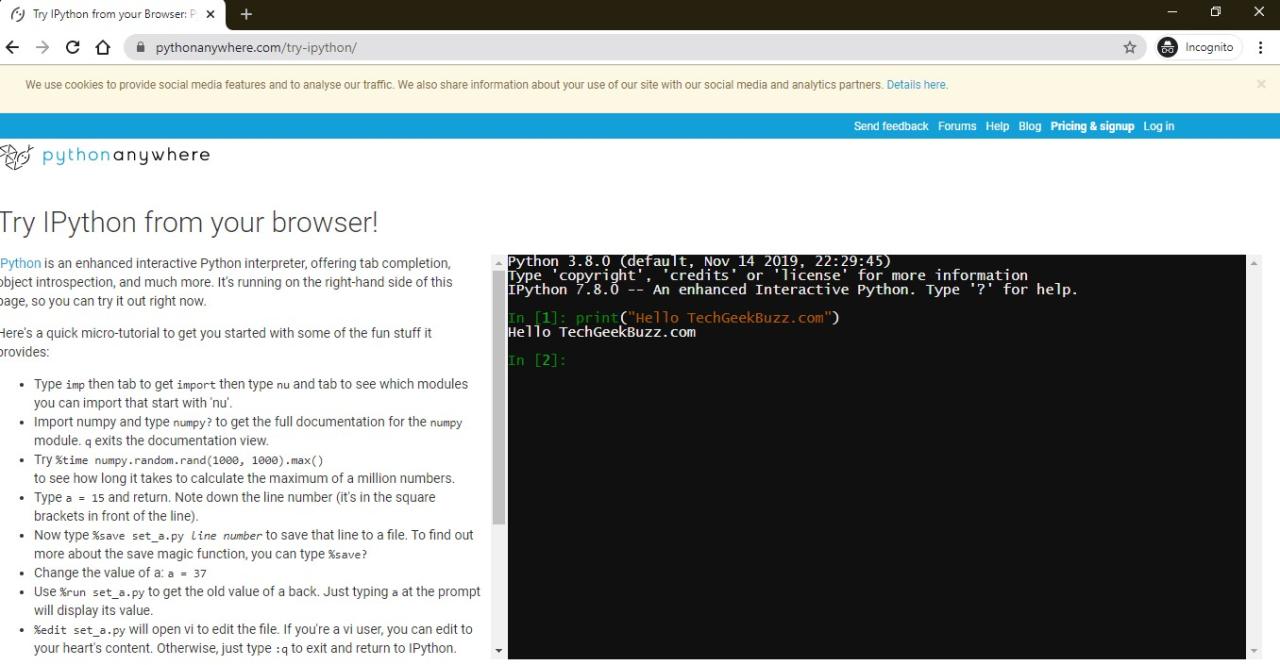
Utilizing online Python compilers offers a seamless way to write, execute, and test Python code without the need for local installations. These platforms are especially valuable for beginners, educators, and developers working on devices with limited capabilities or restricted permissions. They provide an accessible environment to practice coding, collaborate, and share solutions effortlessly.
By leveraging popular web-based IDEs and code runners, users can quickly access robust coding environments that support syntax highlighting, debugging, and instant output viewing. This approach streamlines the learning process and accelerates development workflows, making Python programming more inclusive and flexible across various contexts.
Executing code on platforms like OnlineGDB, Programiz, or JDoodle
These platforms simplify the process of writing and running Python code by providing intuitive interfaces that require no setup or local configuration. The following procedures Artikel how to effectively use these online compilers:
- Access the platform through your preferred web browser by navigating to its official website, such as OnlineGDB, Programiz, or JDoodle.
- Locate the code editor space, which is usually prominently displayed on the homepage or under specific sections labeled “Editor” or “Start Coding.”
- Write or copy and paste your Python script into the editor. For example, a simple script to display a greeting:
| Sample Python Code |
|---|
# Simple Hello World program
print("Hello, Python online!")
|
Once the code is entered, follow these steps for execution:
- Click the “Run” button, which is typically located near the editor or at the top menu bar. Many platforms provide a visual cue such as a green triangle or play icon.
- Observe the output displayed in the output console or terminal window below or beside the code editor. For the above example, the displayed output should be:
Hello, Python online!
These platforms also offer additional features such as saving code snippets, sharing links with others, and debugging tools to troubleshoot errors, making them versatile and user-friendly for all levels of programming expertise.
Utilizing Browser-Based Python Interpreters
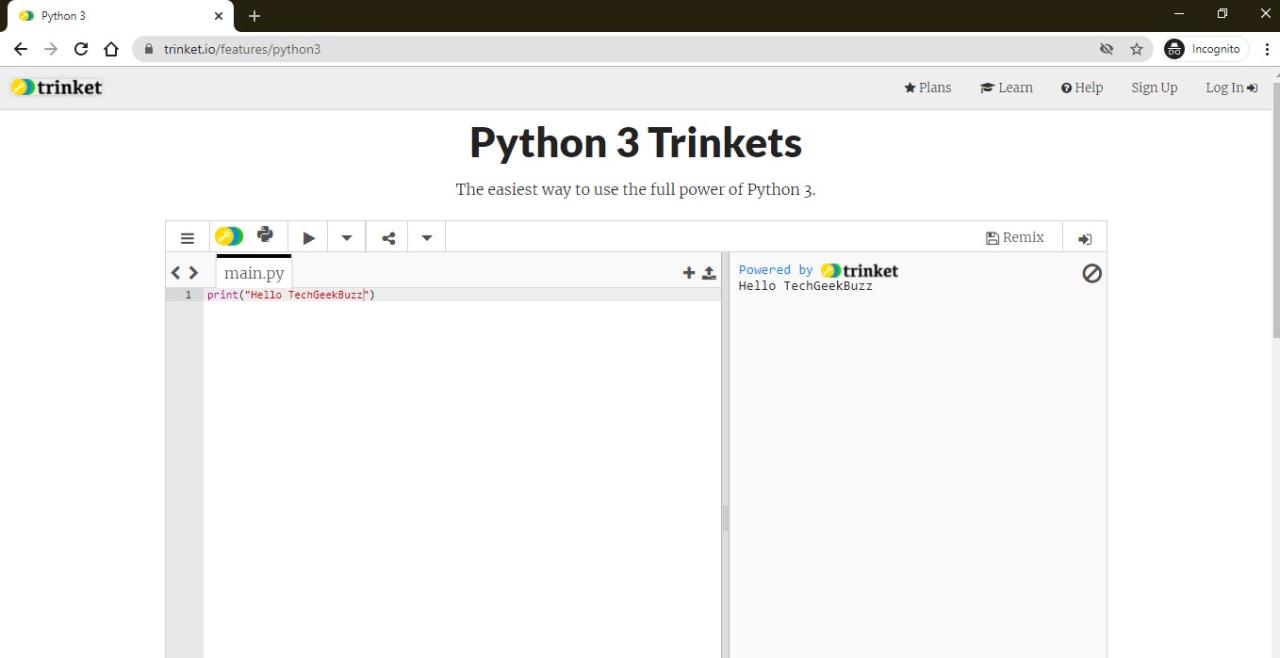
Browser-based Python interpreters provide an accessible way to write, execute, and test Python code directly within a web browser, eliminating the need for local installations or complex setups. These tools are particularly beneficial for beginners, educators, and quick prototyping, allowing immediate access to Python’s capabilities from any device with internet connectivity. By leveraging online interpreters, users can focus solely on coding without concerns over environment configuration or compatibility issues.
These interpreters operate within a web environment, offering a simplified interface that simulates a traditional Python shell or IDE. They run on remote servers, executing user code and returning results instantly. This approach ensures a lightweight, user-friendly experience suitable for learning, experimentation, and sharing code snippets effortlessly.
Accessing and Using Browser-Based Python Interpreters
Accessing browser-based Python interpreters is straightforward and typically involves navigating to a specific website that hosts the interpreter interface. Here are the general steps to get started:
- Open your preferred web browser and go to a reputable online Python interpreter platform, such as Python.org’s interactive shell, Replit, Trinket, or similar services.
- Locate and click on the “Run” or “Start” button if necessary, or simply start typing in the provided code editor area.
- Write your Python code directly into the interface’s code editor. Many platforms offer syntax highlighting, auto-completion, and basic debugging features.
- Execute the code by clicking the “Run” button or pressing the designated keyboard shortcut (e.g., Ctrl + Enter), which sends the code to the remote server for execution.
- The output appears immediately below or beside the editor, displaying results, errors, or prompts, depending on your code.
Some platforms may require creating a free account for saving projects or accessing advanced features, while others allow anonymous use for quick testing. The process emphasizes minimal setup and instant accessibility, making it ideal for learners and educators seeking a seamless coding environment.
Limitations and Best Practices
While browser-based Python interpreters are convenient and accessible, they come with certain limitations that users should be aware of to ensure effective utilization:
| Limitations | Implications |
|---|---|
| Limited Resources | Most online interpreters have restrictions on execution time, memory usage, and computational resources, which may hinder performance for large or complex programs. |
| Security Restrictions | Code execution occurs on remote servers, potentially raising concerns about data privacy, especially when working with sensitive information. |
| Feature Constraints | Advanced debugging tools, package management, and certain libraries may not be available or supported, limiting the scope of projects. |
| Internet Dependency | Requires a stable internet connection for access and operation; offline work is typically not possible. |
| Best Practices | Guidelines for Effective Use |
| Use reputable platforms | Choose well-known and trusted services to ensure security, reliability, and access to necessary features. |
| Save your work regularly | Utilize built-in save options or export code snippets to prevent data loss, especially during longer sessions. |
| Be mindful of code complexity | Design programs within resource limits, avoid infinite loops, and optimize code for efficiency to prevent execution issues. |
| Respect privacy and security | Avoid submitting sensitive or confidential data when using online interpreters to mitigate potential privacy risks. |
| Test incrementally | Develop code step-by-step and verify outputs frequently, leveraging immediate feedback for effective debugging. |
When working within browser-based interpreters, understanding their limitations ensures a smooth coding experience while maximizing the benefits of instant accessibility and ease of use.
Developing and testing Python code with cloud platforms
Utilizing cloud platforms for Python development provides a flexible, scalable, and accessible environment that eliminates the need for local installations. These services enable programmers to write, run, and test code directly through web interfaces, fostering collaboration and streamlining workflows across different devices and locations. Cloud-based development environments are particularly advantageous for teams and educational settings, where consistency and ease of access are paramount.
By leveraging well-established cloud services such as AWS Cloud9 and Azure Notebooks, developers can set up robust Python environments with minimal effort. These platforms offer preconfigured tools, integrated terminals, and seamless sharing capabilities, making them ideal for both individual projects and collaborative endeavors. The following sections detail how to initiate these environments, run Python scripts, and facilitate online collaboration effectively.
Using cloud services like AWS Cloud9 or Azure Notebooks without local installation
Cloud services such as AWS Cloud9 and Azure Notebooks provide fully hosted development environments that run entirely online. These platforms remove the necessity for local setup, allowing users to access powerful coding tools through any web browser with an internet connection.
Starting with these services involves creating an account on their respective platforms. Once registered, users can launch new projects or environments tailored specifically for Python development. The cloud environment includes an integrated code editor, terminal, and debugging tools, all accessible via the web interface. This setup ensures that developers can begin coding immediately without downloading or configuring software locally.
For AWS Cloud9, the process involves selecting the Python runtime during environment creation, after which the IDE is launched with pre-installed Python interpreters. Azure Notebooks, on the other hand, offers a notebook interface similar to Jupyter, where users can create Python notebooks directly within their browser, benefiting from cloud storage and execution.
Setup steps and code execution in cloud environments
Proper setup ensures a smooth coding experience in cloud platforms, encompassing environment configuration and code execution procedures.
- Creating the environment: For AWS Cloud9, log into the AWS Management Console, navigate to Cloud9, and select “Create environment.” Choose a name, description, and select the Python runtime version. For Azure Notebooks, sign in to Azure, create a new Notebook Project, and select Python as the language.
- Configuring dependencies: Cloud environments often come with pre-installed libraries, but for additional packages, use package managers such as pip within the integrated terminal or notebook cells.
- Running Python code: In AWS Cloud9, code can be written in the editor and executed by clicking the Run button or using terminal commands like
python filename.py. In Azure Notebooks, code cells containing Python code can be executed sequentially by clicking the “Run” button, with output displayed inline.
“Cloud platforms provide a ready-to-use environment, where code execution is just a click away, fostering rapid development and testing cycles.”
Sharing and collaborating on Python scripts online
These platforms facilitate real-time collaboration and easy sharing of Python projects, making teamwork seamless regardless of geographical locations.
Sharing methods typically include generating shareable links, exporting notebooks or scripts in various formats (such as .ipynb or .py), and integrating with version control systems like Git.
- Sharing links: Cloud services generate URLs that allow others to view or edit the project directly within their browsers, with permissions adjustable to suit collaborators’ roles.
- Exporting files: Users can download Python scripts or notebooks to their local devices or upload them to repositories such as GitHub, facilitating version tracking and collaborative editing.
- Real-time collaboration: Platforms like Azure Notebooks support simultaneous editing, where multiple users can work on the same document at once, observing each other’s changes in real-time.
Integrating cloud environments with tools like Git enables comprehensive collaboration workflows, including code review, branching, and merging, all within the cloud infrastructure. This approach enhances productivity, promotes best practices, and encourages collaborative learning and development.
Practical tips for coding Python online effectively
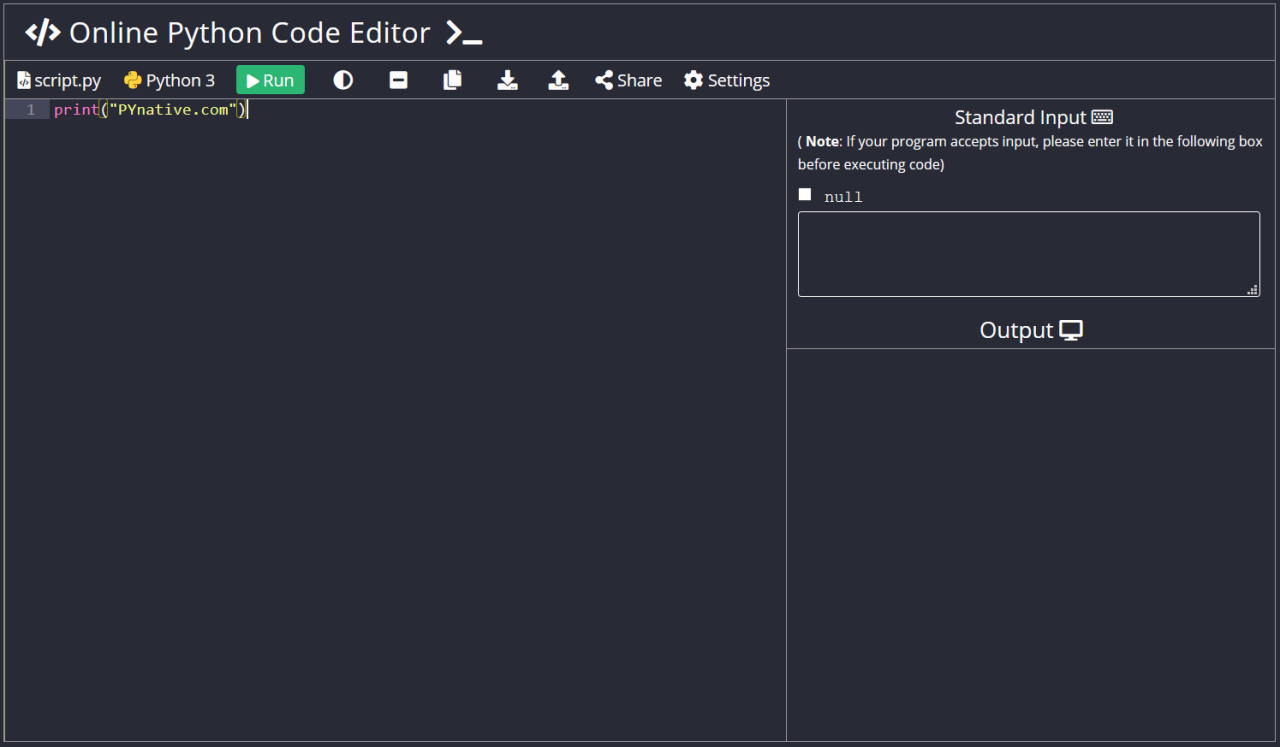
Coding in Python through online platforms offers immense flexibility and convenience, but it requires some best practices to maximize productivity and ensure a smooth experience. This section provides essential tips on managing your code efficiently, safeguarding your work, and debugging effectively when working within browser-based environments. Implementing these strategies can help you develop more reliable, organized, and secure Python projects without the need for local installations.
Adopting effective practices when coding online not only enhances workflow efficiency but also minimizes common issues such as data loss, security vulnerabilities, and debugging challenges. By understanding how to organize your work, export code seamlessly, and maintain security, you can leverage browser-based Python tools to their fullest potential while safeguarding your projects and personal information.
Managing Code, Saving Work, and Debugging Online
Efficient management of your coding environment is crucial when working online, as these platforms often have limitations in storage, version control, and debugging tools compared to local IDEs. Establishing systematic workflows ensures your work remains organized and accessible, reducing frustration and errors.
- Use clear and consistent naming conventions for files and code snippets to facilitate easy retrieval and organization within online editors.
- Leverage platform features such as automatic saving, version history, or cloud synchronization to prevent data loss. Regularly save your progress, especially before making major changes or testing new code.
- Integrate debugging tools available within the online IDE or compiler, such as breakpoints, step-through execution, and variable inspection, to identify errors efficiently.
Exporting Code Snippets and Projects
Exporting your code from online environments allows for backup, sharing, or further development in more advanced local tools. Understanding the best methods to extract your projects ensures you maintain control over your work and can continue development seamlessly elsewhere.
- Utilize the platform’s built-in export or download features, which usually provide options to save code as plain text, Python files (.py), or compressed archives.
- Copy and paste code into local editors or version control systems such as Git, especially for larger projects or collaborative work.
- For platform-specific integrations, consider exporting projects to cloud storage services like Google Drive, Dropbox, or directly to email, if available, for easy access and sharing.
Security and Privacy Guidelines in Browser-Based Environments
When coding online, safeguarding your data and personal information is paramount. Browser-based environments may have different security considerations compared to local setups, and awareness of these can prevent potential risks.
- Always verify the credibility and security protocols of the online platform before entering sensitive information or uploading proprietary code. Prefer platforms with HTTPS encryption and transparent privacy policies.
- Avoid storing highly confidential or sensitive data within online editors or compilers, especially if the platform does not explicitly guarantee data privacy or retention policies.
- Implement strong, unique passwords for platform accounts and enable two-factor authentication where available to prevent unauthorized access.
- Regularly clear browser cache and cookies related to coding platforms to reduce the risk of data leaks or session hijacking.
- Be cautious when sharing code snippets or projects publicly; utilize private sharing options and avoid posting sensitive code in public repositories or forums.
Last Recap
In summary, coding in Python without installing anything online offers a versatile and user-friendly approach suitable for many scenarios. By leveraging the right tools and best practices, you can enhance your productivity and collaboration while maintaining a secure and streamlined workflow. Embrace these online options to unlock your Python programming potential anywhere, anytime.