Learning React JS through real-world projects offers a practical approach to mastering this powerful library. Engaging in hands-on experience allows developers to understand core concepts more deeply, bridging the gap between theory and application. This method not only enhances technical skills but also builds confidence in tackling real development challenges.
By systematically integrating project-based learning into your React journey, you can better grasp component architecture, state management, and external integrations. This approach provides valuable insights into building responsive, scalable applications that meet actual user needs, preparing you for professional development environments.
Introduction to Learning React JS with Real-World Projects
Mastering React JS requires more than just understanding its core concepts and syntax; practical experience plays a vital role in transforming theoretical knowledge into real-world skills. Engaging with hands-on projects enables learners to familiarize themselves with common challenges, debugging techniques, and best practices that are essential in a professional environment. Building real-world projects bridges the gap between classroom learning and industry requirements, fostering confidence and proficiency in React development.
Incorporating project-based learning into your React JS journey offers numerous benefits. It enhances problem-solving abilities, encourages creative thinking, and provides tangible portfolio pieces that can impress potential employers or clients. Moreover, working on diverse projects exposes developers to various aspects of React, such as state management, component architecture, and integration with backend services. To effectively integrate project work into your learning process, a systematic approach is fundamental, including planning, incremental development, and continuous testing.
Key Steps to Integrate Project Work into React Learning
To maximize the benefits of project-based learning, it is crucial to follow a structured pathway that aligns with your evolving skills. The following steps serve as a roadmap to incorporate real-world projects seamlessly into your React JS education:
- Identify Relevant Project Ideas: Select projects that match your current skill level and address real-world needs. Examples include a task management app, weather forecast dashboard, or e-commerce product catalog. These projects should incorporate features like API integration, user authentication, and responsive design to provide comprehensive learning experiences.
- Plan and Design the Project: Before coding, Artikel the project architecture, define components, and determine data flow. Creating wireframes or mockups can help visualize the user interface, while designing data structures ensures efficient state management and scalability.
- Break Down the Development Process: Divide the project into manageable modules or features, such as navigation, data fetching, and form handling. Developing in small, iterative steps allows for easier debugging and gradual feature enhancement.
- Implement Core Functionalities: Focus initially on building essential features, ensuring they work correctly before adding advanced functionalities. This approach minimizes bugs and enhances learning retention.
- Test and Refine: Regular testing during development helps identify issues early. Incorporate tools like React Developer Tools and browser debugging to optimize performance and usability.
- Deploy and Showcase: Once completed, deploy the project on platforms like GitHub Pages or Netlify. Showcasing live projects builds your portfolio and demonstrates your practical expertise to potential employers or clients.
By following these steps, learners can systematically integrate real-world projects into their React JS education, ensuring a balanced combination of theoretical understanding and practical application. This approach cultivates a deeper comprehension of React concepts while developing a portfolio of tangible work that reflects real-world competencies.
Foundations of React JS for Building Projects
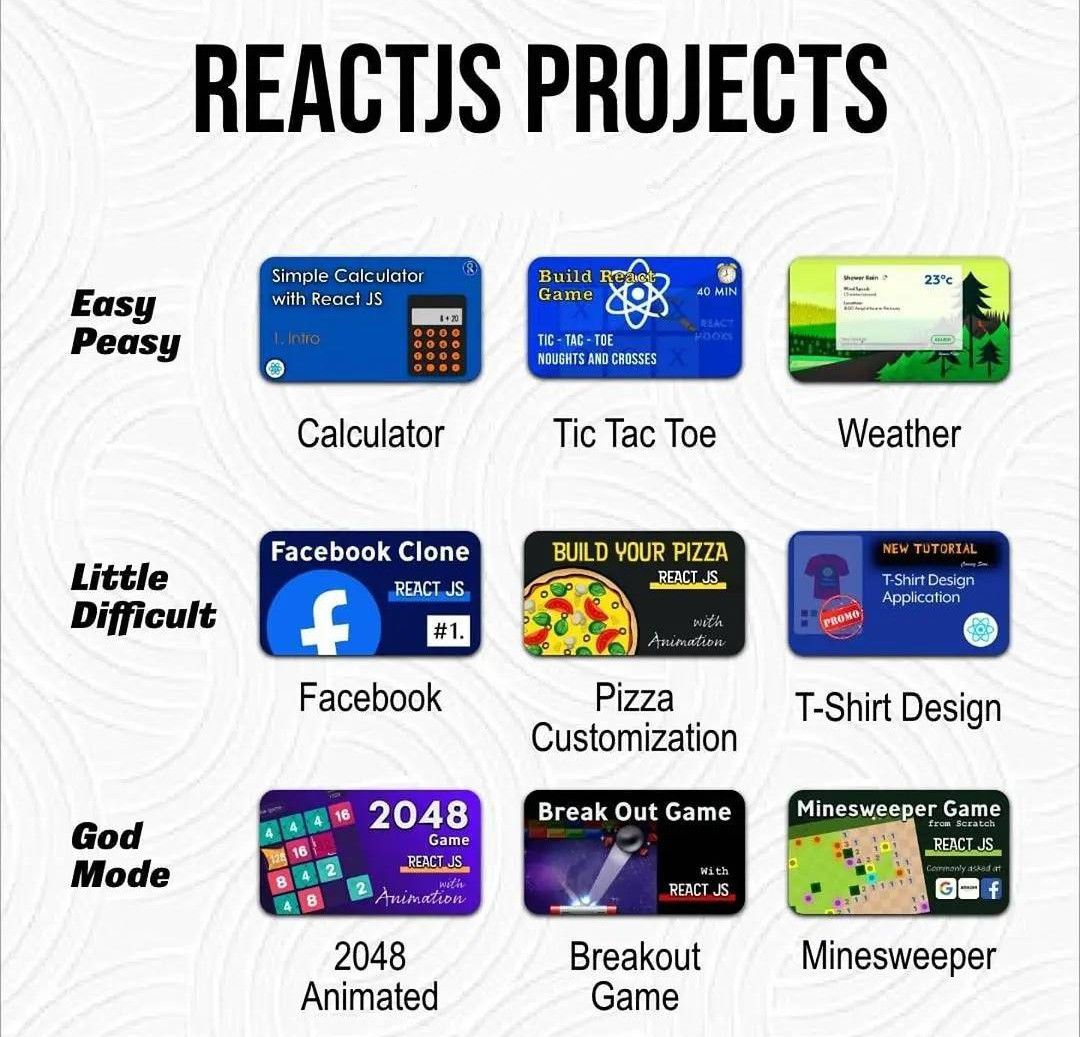
Building projects with React JS requires a solid understanding of its core principles and fundamental concepts. These foundational elements serve as the backbone for developing efficient, scalable, and maintainable applications. By mastering these basics, developers can confidently translate design ideas into functional interfaces and effectively troubleshoot issues during the development process.
Understanding React’s core concepts, such as components, state, and props, is essential for constructing dynamic user interfaces. Additionally, familiarity with JSX syntax and the React component lifecycle enables developers to write cleaner code and manage component behavior effectively. This knowledge forms the basis for integrating React with real-world projects, ranging from simple websites to complex enterprise applications.
Core React Concepts: Components, State, and Props
React’s component-based architecture promotes reusability and modularity, which are crucial for managing complex applications. Components can be thought of as building blocks that encapsulate UI elements and logic, making the development process more organized and manageable.
- Components: These are self-contained, reusable pieces of UI that can be either functional or class-based. Components accept inputs (props) and return JSX to render the UI.
- State: State represents mutable data within a component. It determines how the component renders and responds to user interactions or data updates. Managing state effectively allows for dynamic interfaces that change in real-time.
- Props: Short for properties, props are immutable data passed from parent components to child components. They facilitate data flow and enable components to be configurable and reusable.
For example, a shopping cart application might have a Product component receiving product details as props. When a user adds an item to the cart, the cart’s state updates to reflect the new item, showcasing the interaction between props and state.
Understanding JSX Syntax and Component Lifecycle
JSX (JavaScript XML) is a syntax extension that allows developers to write HTML-like code within JavaScript, simplifying component creation and rendering. It combines the power of JavaScript with familiar HTML structure, leading to more intuitive UI development.
Note: JSX is not mandatory but highly recommended, as it enhances readability and aligns with React’s declarative programming style.
To understand JSX effectively, it is important to recognize how it transpiles into JavaScript function calls, such as React.createElement(). This understanding helps developers troubleshoot rendering issues and optimize performance.
The React component lifecycle describes the sequence of methods invoked during a component’s existence, from creation to destruction. Key lifecycle methods in class components include componentDidMount(), componentDidUpdate(), and componentWillUnmount(). With functional components, the useEffect hook manages side effects corresponding to lifecycle events.
Essential React Features: Overview Table
Understanding the key features of React and their practical applications enhances a developer’s ability to build effective projects. Below is a table summarizing the critical features, along with their descriptions and examples.
| Feature | Description | Example |
|---|---|---|
| Components | Reusable, self-contained UI units that manage their own state and rendering. | A Navbar component used across multiple pages in a website. |
| State | Data within a component that can change over time, affecting rendering. | Tracking the number of items in a shopping cart, updating display dynamically. |
| Props | Immutable data passed from parent to child components, enabling customization. | A Button component receiving label text via props. |
| JSX | Syntax combining JavaScript and HTML for defining component UI. | Writing <div>Hello, world!</div> inside a component render method. |
| Lifecycle Methods & Hooks | Functions that manage side effects and component states during different stages. | Using useEffect to fetch data after a component mounts. |
Planning and Designing Real-World Projects
Effective planning and design are essential stages in developing robust and scalable React JS applications that address genuine user needs. These stages involve identifying meaningful project ideas, structuring the application architecture meticulously, and mapping out the data flow to ensure seamless functionality and maintainability. A well-thought-out plan not only accelerates the development process but also results in a user-friendly and efficient product.
In this section, we delve into the systematic procedures for selecting impactful project ideas, designing a solid architecture with clear component hierarchy, and creating detailed requirements and feature maps. These foundational steps set the stage for successful project implementation, enabling developers to build applications that are both functional and adaptable to future enhancements.
Identifying Project Ideas that Solve Real Problems
Choosing the right project idea begins with understanding the problems faced by users or specific industries. The goal is to develop applications that provide tangible solutions, thereby increasing user engagement and value. The process involves analyzing current market gaps, gathering user feedback, and recognizing inefficiencies within existing systems.
Start by conducting thorough research into areas such as personal productivity, healthcare, education, e-commerce, or community services. For example, a common real-world problem is managing personal finances efficiently. Developing a budgeting or expense tracking app can help users gain better control over their finances. Similarly, identifying repetitive manual tasks in a business setting can inspire automation tools that streamline workflows.
“The most impactful projects originate from solving problems that users genuinely face, rather than creating solutions in search of a problem.”
Engaging with potential users through surveys, interviews, or observing their daily routines can reveal pain points ripe for digital solutions. Prioritize ideas based on feasibility, your expertise, and the potential to deliver significant benefits. Document these ideas carefully to evaluate and refine them into concrete project plans.
Planning Project Architecture and Component Hierarchy
Designing a clear and scalable architecture is fundamental for managing application complexity, especially as projects grow. This involves defining the overall structure, dividing functionality into logical components, and establishing how these components interact to deliver features efficiently.
Start by outlining the main sections of the application—such as header, navigation, content area, and footer. Break down these sections into smaller, reusable components, such as buttons, forms, and data display modules. This modular approach promotes code reuse, simplifies maintenance, and enhances testing capabilities.
Consider adopting a component hierarchy where parent components manage state and pass data and functions via props to child components. This clear data flow architecture aligns with React’s unidirectional data flow principle, reducing potential bugs and improving application predictability.
| Component | Purpose | Data Flow | Reusability |
|---|---|---|---|
| App | Root component managing high-level state | Passes props to child components | High (container for other components) |
| NavigationBar | Provides site navigation links | Receives current page info via props | Moderate (can be reused across pages) |
| DataDisplay | Shows fetched data from APIs | Receives data via props, manages internal state for loading/error | High |
Creating a visual diagram or flowchart of the component hierarchy can be immensely helpful. This visual aid clarifies relationships, responsibilities, and data flow among components, enabling teams to identify potential bottlenecks or redundancies early in the development process.
Mapping Out Project Requirements, Features, and Data Flow
Developing a comprehensive map of project requirements ensures that all stakeholders share a clear understanding of the scope, features, and technical needs. It also facilitates prioritization and task allocation, especially in collaborative environments.
Begin by listing core features such as user authentication, data input forms, real-time updates, or analytics dashboards. For each feature, specify the functional requirements, user interactions, and expected outcomes. This detailed documentation helps in aligning development efforts with user expectations.
Designing a data flow diagram is crucial for understanding how data moves throughout the application. This includes data sources, storage, processing, and presentation layers. For instance, in an e-commerce React app, the flow might involve fetching product data from an API, storing it in a state management system like Redux or Context API, and rendering it within product listing components.
“A well-structured data flow minimizes bugs, enhances performance, and simplifies debugging and future scalability.”
Use tables or visual diagrams to document requirements, features, and data interactions. This organized approach provides a clear blueprint for developers, testers, and stakeholders, ensuring that the project remains aligned with its original goals and can adapt smoothly to changing requirements.
Setting Up Development Environment for React Projects

Establishing a robust and efficient development environment is a foundational step in mastering React.js. Proper setup ensures smooth workflows, easier debugging, and better project organization. By configuring essential tools like Node.js, npm, and create-react-app, developers can rapidly initiate React projects tailored to real-world applications.
A well-structured environment not only accelerates development but also fosters best practices such as version control integration and organized folder structures. These practices are vital when scaling projects, collaborating with teams, or maintaining code quality over time. This section provides a comprehensive guide to configuring your development setup, ensuring you are equipped to build React applications effectively and professionally.
Configuring Tools and Creating React Projects
To begin, installing and configuring the core tools is essential for React development. This includes Node.js, npm, and the create-react-app boilerplate generator. These tools enable you to set up, manage dependencies, and streamline project initialization with minimal effort.
- Download and install Node.js from the official website (https://nodejs.org/). This installation includes npm, the package manager essential for managing project dependencies.
- Verify the installation by opening a command prompt or terminal and executing:
node -v
and
npm -v
. These commands should return the installed version numbers, confirming successful setup.
- Use npm to globally install create-react-app by executing:
npm install -g create-react-app
. This allows you to create new React projects easily from anywhere in your system.
- Create a new project using:
create-react-app my-react-project
. Replace ‘my-react-project’ with your preferred project name.
- Navigate into your project directory:
cd my-react-project
and start the development server:
npm start
. This launches your React application in the default web browser, providing a live environment for development.
Best Practices for Project Folder Structure and Version Control
Organizing your project files systematically and integrating version control systems are crucial for maintaining code quality and facilitating collaboration. Adhering to best practices ensures that your project remains manageable as it scales or involves multiple developers.
First, establish a clear folder structure that separates core components, assets, services, and styles. A typical React project layout might include:
- /src
- /components
-for reusable React components
- /assets
-for images, fonts, and static files
- /services
-for API calls and data handling logic
- /styles
-for CSS or styling frameworks
- /index.js
-main entry point of the application
- /App.js
-root component
Implementing version control, particularly with Git, is vital for tracking changes, collaborating with team members, and maintaining project history. Initialize a Git repository within your project folder:
git init
after creating your project, then regularly commit changes with descriptive messages:
git add .
and
git commit -m “Initial setup of React project”
.
Additionally, connect your local repository to a remote hosting service like GitHub or GitLab, enabling seamless collaboration and backup. Follow these steps:
- Create a new repository on the hosting platform.
- Link the remote repository:
git remote add origin
- Push your commits:
git push -u origin main
Environment Setup Guidance Table
| Step | Description | Command / Action |
|---|---|---|
| 1 | Download and install Node.js and npm | Visit https://nodejs.org/ and follow the installation instructions for your OS. |
| 2 | Verify Node.js and npm installation | Open terminal and run:
node -v npm -v |
| 3 | Install create-react-app globally | npm install -g create-react-app |
| 4 | Create a new React project | create-react-app my-react-project |
| 5 | Navigate into project directory | cd my-react-project |
| 6 | Start the development server | npm start |
| 7 | Initialize Git repository | git init |
| 8 | Connect to remote repository and push initial code |
git remote add origin |
Building Interactive Features in Projects
Creating engaging and user-friendly React applications requires the integration of interactive features that respond to user actions and fetch dynamic data seamlessly. Implementing forms, user authentication, and efficient data fetching mechanisms are fundamental to building modern web applications that provide a smooth user experience.
Managing state effectively across components ensures that these features work cohesively and maintain consistency throughout the application.
In this section, we explore essential techniques and practical examples for developing interactive functionalities. We will discuss methods for implementing forms, handling user authentication, fetching data from APIs, and managing state across components using React hooks and the Context API. These skills are vital for transforming static interfaces into dynamic, responsive applications that meet real-world user needs.
Implementing Forms, User Authentication, and Data Fetching
Interactive projects often require users to input data, log in securely, or retrieve information from external sources. React provides a range of tools to facilitate these features efficiently. Forms can be managed using controlled components that synchronize user input with component state. User authentication typically involves integrating with authentication APIs or services, managing tokens, and safeguarding routes. Data fetching leverages React’s lifecycle methods or hooks such as useEffect to perform asynchronous API calls, handle responses, and update the interface accordingly.
| Feature | Implementation Approach | Example |
|---|---|---|
| Forms | Use controlled components with useState to track input values and handle form submissions. |
const [formData, setFormData] = useState( name: '', email: '' ); const handleChange = (e) => setFormData( ...formData, [e.target.name]: e.target.value ); ; const handleSubmit = (e) => e.preventDefault(); // Process formData ; |
| User Authentication | Integrate with authentication APIs, manage tokens in local storage, and protect routes. |
|
| Data Fetching | Use useEffect hook to perform API calls on component mount or update, handling loading and errors. |
|
Managing State Across Components
Effective state management is crucial for ensuring that interactive features operate smoothly across multiple components. React hooks like useState provide local state handling, while the useContext hook and Context API facilitate sharing state globally without resorting to prop drilling.
This approach simplifies the coordination of user inputs, authentication status, or fetched data throughout the application.
Using useState allows each component to manage its own state independently, but for shared or global state, combining useContext with the Context API provides a scalable solution. By creating context providers and consumers, developers can synchronize state changes across different parts of the application, maintaining consistency and reducing complexity. This technique is particularly useful in larger projects where multiple components depend on the same data, such as user login status or theme preferences.
Example of managing user authentication state globally:
const AuthContext = React.createContext(); const AuthProvider = ( children ) => const [isAuthenticated, setIsAuthenticated] = useState(false); const login = () => setIsAuthenticated(true); const logout = () => setIsAuthenticated(false); return (children ); ;
This pattern ensures that any component within the AuthProvider can access and modify authentication status, enabling dynamic interface updates based on user login state or permissions.
Incorporating External Libraries and APIs
Integrating external libraries and APIs into your React projects is essential for enhancing functionality, improving efficiency, and leveraging existing solutions for common challenges. Learning how to effectively incorporate third-party tools and connect to external data sources enables developers to build robust, scalable, and feature-rich applications that meet real-world requirements. This segment covers strategies for integrating popular libraries like React Router and Axios, as well as procedures for connecting to RESTful APIs and managing asynchronous requests within React.
Strategies for Integrating Third-Party Libraries
The process of integrating external libraries involves several key steps that ensure smooth incorporation into your React project. These strategies help maintain code clarity, manage dependencies, and prevent conflicts:
- Identify the specific functionality required that external libraries can provide, such as routing, data fetching, state management, or UI components.
- Install the library using package managers like npm or yarn. For example, run
npm install react-router-dom
for React Router or
npm install axios
for Axios.
- Import the library into your React components or application files as needed, following the library’s documentation.
- Configure and initialize the library according to project-specific requirements, including setting up routes, base URLs, or middleware.
- Utilize the library’s API within your component logic, ensuring proper handling of asynchronous operations, events, or navigation.
- Test the integration thoroughly to verify that the library functions as intended within the application context.
Procedures for Connecting to RESTful APIs and Handling Asynchronous Requests
Connecting to external APIs involves fetching data asynchronously, managing responses, and updating your React application’s state accordingly. Proper handling of these requests is critical for providing a seamless user experience:
- Use libraries like Axios or the built-in fetch API to initiate HTTP requests. Axios offers features like request cancellation and interceptors, which can simplify complex data interactions.
- Configure request parameters, including URL endpoints, headers, authentication tokens, and query strings, to match API specifications.
- Implement asynchronous functions using async/await syntax to handle the request lifecycle effectively.
- Manage loading states, success responses, and error handling within your components. For example, display loaders while data is fetched and show error messages if requests fail.
- Update the component state with the fetched data upon successful retrieval, enabling reactive UI updates.
- Ensure cleanup of asynchronous requests, especially in components unmounting, to prevent memory leaks and unexpected behaviors.
Popular Libraries, Their Purposes, and Integration Steps
Below is a table summarizing some widely-used React libraries, their primary purposes, and the standard steps to integrate them into projects:
| Library | Purpose | Integration Steps |
|---|---|---|
| React Router | Enables declarative routing and navigation within React applications. |
|
| Axios | Provides a promise-based HTTP client for making API requests and handling responses. |
|
| Redux | Facilitates centralized state management for large-scale React applications. |
|
| React Hook Form | Simplifies form validation and management in React components. |
|
Styling and Responsiveness in Real-World Projects
Applying effective styling and ensuring responsiveness are crucial aspects of developing professional React.js applications. In real-world projects, user experience hinges on how seamlessly the interface adapts to various devices and how visually appealing the application appears across different screen sizes. This section explores different methods to incorporate styles into React projects, along with best practices for achieving mobile-friendly and responsive designs.
Implementing versatile styling techniques involves selecting suitable tools and approaches based on project requirements. Combining CSS, CSS-in-JS solutions like styled-components, or leveraging popular CSS frameworks allows developers to craft visually consistent and adaptable interfaces. Additionally, responsive design principles ensure that applications provide optimal usability on desktops, tablets, and smartphones, which is essential in today’s diverse device landscape.
Methods to Apply CSS, Styled-Components, or CSS Frameworks
Choosing the right styling method depends on project complexity, team preferences, and maintainability goals. Here are common approaches used in React development:
- Plain CSS: Writing traditional CSS files and importing them into React components. For example, creating a ‘styles.css’ file and importing it with
import './styles.css';. This method is simple and straightforward for small projects. - CSS Modules: Scoped CSS that applies styles only to specific components, avoiding conflicts. This involves naming CSS files with the
.module.cssextension and importing styles as objects, e.g.,import styles from './Button.module.css';. - Styled-Components: A popular CSS-in-JS library that enables writing CSS directly within JavaScript files. Example:
import styled from 'styled-components';

const Button = styled.button`
  background-color: #4CAF50;
  color: white;
  padding: 10px 20px;
  border: none;
  border-radius: 4px;
  cursor: pointer;

  &:hover
    background-color: #45a049;

`;
- CSS Frameworks (Bootstrap, Material UI): Integrate pre-designed components and grid systems to accelerate development. For example, using Bootstrap’s classes in JSX elements or Material UI’s components for buttons, app bars, and more.
Ensuring Projects Are Mobile-Friendly and Responsive
Responsive design is fundamental for delivering a consistent user experience across all devices. It involves both flexible layouts and adaptable components. The following approaches help achieve this goal:
- Fluid Grids and Flexible Layouts: Use CSS Grid or Flexbox to create layouts that adjust gracefully with screen size changes. For instance, utilizing
display: flex;withflex-wrap: wrap;ensures items can reposition as needed. - Media Queries: Define CSS rules that activate at specific viewport widths to modify styles appropriately. Example:
@media (max-width: 768px)
  .container
    flex-direction: column;
- Responsive Components: Use component libraries that support responsiveness, such as Material UI’s Grid system, which allows specifying breakpoints for different screen sizes.
- Testing and Optimization: Regularly test on various devices and screen sizes to identify and fix layout issues. Tools like Chrome DevTools device emulation can simulate different environments effectively.
- Image and Asset Scaling: Use relative units like percentages or viewport units, and optimize images for faster loading on mobile networks, ensuring visual content adapts without breaking layouts.
By combining flexible layout techniques, media queries, and responsive component libraries, developers can create React applications that look great and function well on any device, thereby enhancing user engagement and satisfaction.
Testing and Debugging React Applications
Ensuring the quality and reliability of React applications is vital for delivering a seamless user experience. Effective testing and debugging practices help identify issues early, optimize performance, and maintain code integrity. As React projects grow in complexity, adopting structured procedures for testing components and troubleshooting bugs becomes increasingly important for developers aiming for professional, maintainable solutions.
This section explores essential procedures for testing React components using popular tools like Jest and React Testing Library, alongside troubleshooting techniques for resolving common bugs and performance issues. Mastering these strategies ensures your React applications are robust, efficient, and error-free, fostering confidence in your development process and end product.
Procedures for Testing React Components with Jest and React Testing Library
Testing React components systematically involves writing unit tests, integration tests, and end-to-end tests that verify functionality and user interactions behave as expected. Jest, as a comprehensive JavaScript testing framework, provides a solid foundation for mocking functions, asserting outcomes, and running tests efficiently. React Testing Library complements Jest by emphasizing testing components from the user’s perspective, focusing on UI behavior rather than implementation details.
To begin, developers typically set up Jest with their React project, configuring Babel and environment settings. Writing test cases involves rendering components with render() from React Testing Library, simulating user events with fireEvent or userEvent, and asserting the presence or behavior of DOM elements. For example, testing a login form might involve verifying input fields accept data, and a submit button triggers the correct callback.
Consistent testing ensures that each component functions independently and integrates seamlessly within the application, reducing bugs and regressions in production.
Troubleshooting Techniques for Common Bugs and Performance Issues
React developers frequently encounter bugs related to state management, rendering inefficiencies, and external library conflicts. Troubleshooting involves a combination of debugging tools, performance profiling, and understanding React’s rendering behavior. Browser developer tools, React DevTools, and console logs serve as primary resources for diagnosing issues.
Common bugs such as component re-rendering loops, state synchronization problems, or unresponsive UI elements can often be traced to improper use of hooks, incorrect props, or inefficient state updates. Using React Profiler helps identify unnecessary renders or slow components, enabling targeted optimizations. In cases of external API integration, network delays or incorrect request handling may cause performance bottlenecks or errors, which require examining network requests and API responses.
| Testing Method | Primary Tools | Debugging Strategies |
|---|---|---|
| Unit Testing | Jest, React Testing Library | Isolate components, mock dependencies, verify individual functionalities |
| Integration Testing | Jest, React Testing Library | Test combined components and data flow, simulate user interactions |
| Performance Profiling | React Profiler, Chrome DevTools | Identify unnecessary re-renders, optimize rendering logic |
| Debugging External Issues | Network tab, console logs, React DevTools | Trace API requests, monitor component state, inspect DOM |
By adopting these testing and debugging procedures, developers can systematically improve their React applications. Regularly employing testing tools to catch regressions early, combined with strategic troubleshooting, leads to more resilient, high-performance web applications that meet user expectations and business needs.
Deploying and Maintaining React Projects
Once a React application has been thoroughly developed and tested, deploying it to a live environment is essential to make it accessible to users. Effective deployment ensures that the project is available on the web, performs well, and remains reliable over time. Additionally, ongoing maintenance is crucial to address updates, security patches, and feature improvements, thereby extending the lifespan and usability of the application.
This section Artikels the key steps to deploy React projects on popular platforms such as Netlify, Vercel, and GitHub Pages. It also discusses strategies for updating and maintaining projects after deployment, ensuring they stay current, secure, and engaging for users. Clear procedures and best practices are organized to facilitate smooth deployment and sustainable project management.
Deployment Procedures on Popular Platforms
Deploying React applications on hosting platforms involves a series of systematic steps, often varying slightly depending on the platform used. Understanding these procedures enhances deployment efficiency and minimizes errors. The following overview provides essential guidelines for three widely used services:
| Platform | Deployment Steps | Best Practices |
|---|---|---|
| Netlify |
|
|
| Vercel |
|
|
| GitHub Pages |
|
|
Strategies for Updating and Maintaining Post-Deployment
Maintaining a React project after deployment involves systematic strategies to keep the application secure, performant, and relevant to user needs. Regular updates, monitoring, and improvements are vital to long-term success. The following strategies are recommended:
- Implement Continuous Integration/Continuous Deployment (CI/CD) pipelines to automate updates and testing whenever new code is pushed to the repository.
- Regularly review application performance metrics and error logs to identify and resolve issues promptly.
- Update dependencies and libraries periodically to benefit from security patches, new features, and performance improvements.
- Conduct periodic security audits to identify vulnerabilities and apply necessary patches or configurations.
- Gather user feedback to inform feature enhancements and usability improvements, ensuring the application remains aligned with user expectations.
- Maintain comprehensive documentation of deployment procedures, updates, and known issues for effective team collaboration and troubleshooting.
Consistent maintenance and proactive updates extend the lifecycle of React applications and enhance user satisfaction over time.
Case Studies of Successful React Projects

Exploring real-world React applications across various industries provides valuable insights into practical implementation, project challenges, and innovative solutions. These case studies highlight how React's flexibility and performance optimizations contribute to building scalable, user-friendly applications that meet diverse business needs.
By analyzing these successful projects, developers and organizations can glean best practices, understand common hurdles, and recognize the transformative potential of React in modern web development.
Social Media Platform Enhancing User Engagement
This case involves a leading social media company redesigning its platform to improve real-time interactions, media sharing, and personalized content feeds. The project aimed to increase user engagement and reduce load times across devices.
- Project Scope: Development of a dynamic, responsive social networking site supporting millions of daily users.
- Features Implemented:
- Real-time notifications and live comment updates using WebSocket integrations.
- Infinite scrolling feeds with efficient data fetching strategies.
- Rich media uploads and previews with optimized media handling.
- Challenges & Solutions:
- Managing state efficiently for real-time updates was addressed through Redux and context APIs, ensuring seamless data flow.
- Load time optimization involved code splitting and lazy loading components to enhance performance on slower networks.
- Ensuring accessibility and responsive design across devices was achieved with CSS-in-JS libraries and flexible grid layouts.
- Outcomes: Increased user activity, faster load times, and improved user retention metrics, with positive feedback on usability and responsiveness.
E-commerce Platform with Personalized Shopping Experience
An international online retailer revamped its user interface using React to deliver a more personalized and efficient shopping journey. The project focused on enhancing product discovery and streamlining checkout processes.
- Project Scope: Deployment of a single-page application with dynamic product filtering, recommendations, and secure payment integrations.
- Features Implemented:
- Customizable product categories with instant filtering and sorting capabilities.
- Personalized product recommendations based on browsing history and cart activity.
- Streamlined checkout process with progress indicators and real-time validation.
- Challenges & Solutions:
- Handling complex state management for personalized content was managed using Redux Toolkit, simplifying data flow.
- Integrating external APIs for live inventory updates and payment processing required robust error handling and security measures.
- Optimizing load performance for high-resolution images involved implementing lazy loading and CDN delivery.
- Outcomes: Significant increase in conversion rates, reduced cart abandonment, and highly positive customer feedback on responsiveness and personalization.
Financial Dashboard for Real-Time Data Monitoring
A financial services firm developed a React-based dashboard to provide clients with real-time insights into their portfolios, market data, and analytics tools. The focus was on delivering high-speed updates and intuitive data visualization.
- Project Scope: Creation of an interactive, secure web app that aggregates data from multiple sources for instant analysis.
- Features Implemented:
- Live data feed integration with WebSocket and REST APIs for instantaneous updates.
- Complex data visualization with charts, heatmaps, and sortable tables.
- User customization options for dashboards and alerts.
- Challenges & Solutions:
- Handling large datasets efficiently was achieved through virtualization and memoization techniques, reducing rendering time.
- Maintaining data security and user privacy involved implementing OAuth authentication and encrypted data transport protocols.
- Ensuring cross-browser compatibility and responsiveness was addressed through rigorous testing and adaptive layouts.
- Outcomes: Improved client satisfaction through real-time analytics, increased engagement with the dashboard, and enhanced operational efficiency for the firm.
Healthcare Application for Patient Management
This project involved creating a React application used by healthcare providers to manage patient records, appointments, and telehealth consultations. Emphasis was placed on security, usability, and integration with existing systems.
- Project Scope: Development of a secure, intuitive platform supporting multiple user roles and complex workflows.
- Features Implemented:
- Role-based access control ensuring data privacy and compliance with healthcare regulations.
- Interactive appointment scheduling and reminders with real-time updates.
- Integration with external health record systems via REST APIs and HL7 standards.
- Challenges & Solutions:
- Ensuring HIPAA compliance required implementing encryption, audit logs, and secure authentication protocols.
- Handling asynchronous data fetching from various sources was optimized through React Query, providing seamless data synchronization.
- Designing an accessible and user-friendly interface involved adherence to WCAG guidelines and user testing.
- Outcomes: Enhanced efficiency in patient management, improved data security, and positive feedback from healthcare providers on ease of use and responsiveness.
End of Discussion

In conclusion, learning React JS through real-world projects transforms abstract concepts into tangible skills, empowering developers to create impactful applications. Embracing this practical methodology ensures a more comprehensive and confident mastery of React, ultimately opening up numerous opportunities in modern web development.