Learning React JS effectively is greatly enhanced through the hands-on experience of building a personal portfolio website. This approach not only reinforces core concepts but also showcases practical skills to potential employers or clients.
This guide provides a structured pathway for beginners to understand the essentials of React development, from environment setup and designing a responsive layout to data management and deployment, ensuring a comprehensive learning journey.
Introduction to Learning React JS Through Portfolio Building
Embarking on the journey to master React JS through portfolio development offers a practical and engaging pathway for aspiring developers. Creating a personal portfolio website not only showcases your technical skills but also solidifies your understanding of core React concepts. This hands-on approach bridges the gap between theoretical knowledge and real-world application, enabling learners to gain confidence and build a compelling showcase of their abilities.
Structured learning through project-based development is essential in comprehending React’s architecture, component lifecycle, state management, and routing. By systematically progressing through stages such as planning, designing, coding, testing, and deploying, learners develop a comprehensive skill set. This method transforms abstract concepts into tangible results, making the learning process more effective and enjoyable.
Benefits of Building a Portfolio Website with React JS
Creating a portfolio website using React JS provides numerous advantages that accelerate the learning curve and enhance employability. It fosters a deeper understanding of React’s ecosystem and popular libraries, such as React Router for navigation and Redux for state management. Additionally, it demonstrates to potential employers or clients your ability to develop a modern, responsive, and interactive web application.
Hands-on project experience with React helps in mastering essential skills such as component-based architecture, JSX syntax, hooks, and API integration. This practical exposure encourages problem-solving, debugging, and optimizing code, which are critical competencies in professional development environments. Moreover, a well-crafted portfolio serves as a personal branding tool, showcasing your growth and technical proficiency.
Organizing the Learning Journey
Approaching React JS learning through a structured plan ensures steady progress and comprehensive understanding. The journey typically involves several key steps, each building upon the previous one:
- Understanding Core Principles: Grasp the basics of React, including components, JSX, and state.
- Designing the Portfolio Structure: Plan the layout, pages, and features you want to include in your website, such as a homepage, about section, project showcase, and contact form.
- Developing Components: Build reusable React components, focusing on UI elements, navigation, and content sections.
- State Management and Data Handling: Implement state techniques using hooks or context API, and connect to APIs for dynamic content.
- Enhancing User Experience: Add responsiveness, animations, and interactivity to make the website engaging and user-friendly.
- Testing and Deployment: Test across browsers and devices, then deploy your portfolio to a web hosting platform for public access.
This organized approach promotes incremental learning, allowing you to evaluate progress after each phase and refine your skills continuously. Building a portfolio website acts as both a learning tool and a tangible output, motivating you to deepen your understanding of React JS.
Setting Up the Development Environment for React JS
Establishing a robust development environment is a crucial first step in mastering React JS. A properly configured setup ensures smooth development workflows, efficient debugging, and seamless project management. This section guides you through installing essential tools and creating a new React project, laying the foundation for your portfolio website development journey.
By following these steps, you’ll equip yourself with the necessary resources to start building interactive and dynamic React applications. The process involves installing Node.js and npm, which are vital for managing packages and dependencies, and then initializing a React project using the create-react-app boilerplate.
Installing Node.js and npm
Node.js, an open-source JavaScript runtime environment, is essential for running React applications outside the browser, while npm (Node Package Manager) manages the packages and libraries required for your projects. Installing these tools correctly ensures compatibility, stability, and access to a vast ecosystem of modules.
- Visit the official Node.js website at https://nodejs.org/ .
- Download the LTS (Long-Term Support) version suitable for your operating system, as it offers stability and reliability for development purposes.
- Run the installer and follow the prompts to complete the installation process. During setup, ensure the option to install npm is selected, which is typically included by default.
- Verify the installation by opening your command prompt or terminal and typing:
node -v
and
npm -v
These commands display the installed versions of Node.js and npm, confirming successful setup.
The installation of Node.js and npm provides the core tools required for managing dependencies and running React scripts effectively across different development environments.
Creating a New React Project Using create-react-app
Once Node.js and npm are installed, creating a React project becomes a straightforward process. The create-react-app command-line utility sets up a ready-to-use React scaffold, including all necessary configurations, dependencies, and boilerplate code. This tool simplifies the initial setup, enabling developers to focus on building features rather than configuring build systems.
- Open your terminal or command prompt.
- Navigate to the directory where you want to create your portfolio website project, using the command:
cd path/to/your/directory
- Run the following command to generate a new React application:
npx create-react-app portfolio-website
This command uses ‘npx’, a package runner that executes the create-react-app package without needing global installation, ensuring you always use the latest version.
- Once the process completes, navigate into the project folder:
cd portfolio-website
- Start the development server with:
npm start
This command launches your React app in the default web browser, typically accessible at http://localhost:3000, allowing you to see your project in real time and make modifications seamlessly.
Creating a React project with create-react-app establishes a solid foundation for building your portfolio website, providing a structured environment with essential tools and scripts for efficient development.
Setup Overview Table
This table summarizes the key tools involved in setting up your React development environment, including their versions and purposes, to provide a quick reference for your configuration process.
| Tool | Version | Purpose |
|---|---|---|
| Node.js | Latest LTS (e.g., 18.x at the time of writing) | Runtime environment for executing JavaScript outside the browser; manages dependencies for React projects |
| npm | Included with Node.js (version matches Node.js) | Package manager for installing and managing libraries and dependencies in React applications |
| create-react-app | Latest version via npx (e.g., 5.x or higher) | Command-line utility to scaffold React projects quickly and with best practices |
Building Core React Components for the Portfolio
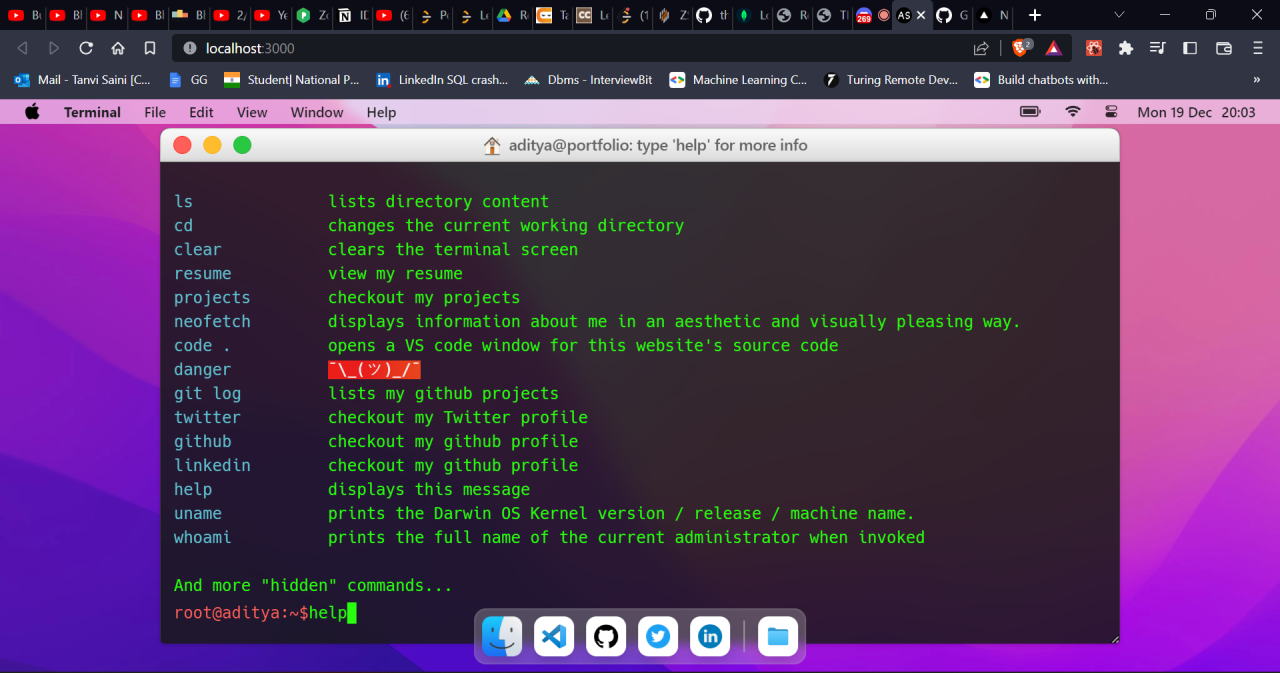
Creating a professional and visually appealing portfolio website hinges on developing well-structured, reusable React components. These components serve as the building blocks of your application, enabling easier maintenance, scalability, and consistent design across your project. By focusing on core components such as Navbar, Footer, and Project Cards, you can effectively organize your codebase and streamline the development process.
Implementing reusable components involves understanding component responsibilities, managing data flow through props, and maintaining internal state when necessary. Proper organization of components within directories ensures clarity and ease of access. As you progress, these foundational components will help you craft a dynamic, interactive portfolio that showcases your skills and projects proficiently.
Developing Reusable Components
Reusable components are designed to serve specific functions and can be integrated multiple times within your application with different data. For a portfolio website, typical core components include the navigation bar, footer, and project showcase cards. These components should be flexible, accepting props to customize their content, and maintain minimal internal state to enhance reusability.
Below are common types of components, their responsibilities, and example code snippets to illustrate their implementation:
| Component Type | Responsibilities | Example Code Snippet |
|---|---|---|
| Navbar | Displays navigation links, logo, and handles menu toggling on mobile devices. |
|
| Footer | Shows contact information, social media links, and copyright notice. |
|
| Project Card | Displays individual project details including image, title, description, and links to live demo or source code. |
|
To optimize component management, organize related components into dedicated directories such as components/Navbar, components/Footer, and components/Projects. This structure enhances code readability and eases collaboration or future updates.
Managing data flow through props ensures each component receives the necessary information to render correctly, while internal state can be used sparingly for UI interactions like menu toggles or modal visibility. This separation of concerns preserves component reusability and maintains a clean, manageable codebase.
Managing State and Props in React for Dynamic Content
In the development of a portfolio website, managing dynamic content effectively is essential to create an engaging and interactive user experience. React provides robust mechanisms, namely props and state, to handle data flow and component behavior. Understanding how to utilize these features allows developers to build flexible and maintainable applications that respond seamlessly to user interactions and data changes.
Proper management of state and props enables the creation of components that are both reusable and adaptable. Props facilitate passing data from parent to child components, ensuring a unidirectional data flow, while state manages internal component data that can change over time. Mastering these concepts is crucial for developing complex, interactive sections such as project filters, skill progress bars, or contact forms within a portfolio website.
Passing Data Through Props for Project Details
Props, short for properties, are used to send data from a parent component to its child components. They serve as a means to customize components with specific content or configurations, making them versatile and reusable. In the context of a portfolio website, props can pass detailed information about projects, such as titles, descriptions, images, and links, ensuring each project component displays unique content without redefining the component structure.
For example, a project card component can accept props like title, description, and imageSrc. When rendering multiple projects, the parent component supplies different values for each instance, enabling dynamic content population. This approach simplifies the maintenance process, as updates to project details only require changes in the data source rather than the component code.
Example of passing project data using props:
<ProjectCard
title=”Responsive Website”
description=”A modern, mobile-friendly portfolio website built with React.”
imageSrc=”/images/responsive-website.png” />
State Management Techniques for Interactive Sections
State in React allows components to store and manage data that can change in response to user interactions or other events. Effective state management is vital for features like toggling views, form inputs, or live content updates within your portfolio. React provides several techniques and hooks, such as useState, useReducer, and context API, to handle state efficiently.
Using useState, developers can initialize a state variable and update it through setter functions, enabling components to re-render with new data. For instance, a skill section can display animated progress bars that activate when the user scrolls to that part of the page. Managing state carefully ensures the interface remains responsive and accurate, reflecting user actions or data changes in real-time.
Additionally, for managing more complex state scenarios involving multiple components or global data, React’s Context API or external libraries like Redux can be employed. These tools help maintain consistency across the application while avoiding prop drilling, which can become cumbersome in larger projects.
Comparison Table: State vs. Props
Understanding the roles and use cases of state and props is fundamental for effective React development. Here is a comparative overview to clarify their distinct functions and appropriate applications within a portfolio website:
| Aspect | Props | State |
|---|---|---|
| Definition | Read-only data passed from parent to child components. | Data managed within a component that can change over time. |
| Purpose | Configure or customize components with external data. | Handle internal component data that changes in response to user interactions or events. |
| Mutability | Immutable; set by parent components. | Mutable; updated within the component using React’s state management functions. |
| Usage Example | Passing project details like title, description, and images to a project card component. | Tracking whether a project description is expanded or collapsed; managing input values in a contact form. |
| Component Ownership | Owned and controlled by the parent component. | Owned and controlled within the component itself. |
Incorporating Styling and Responsiveness
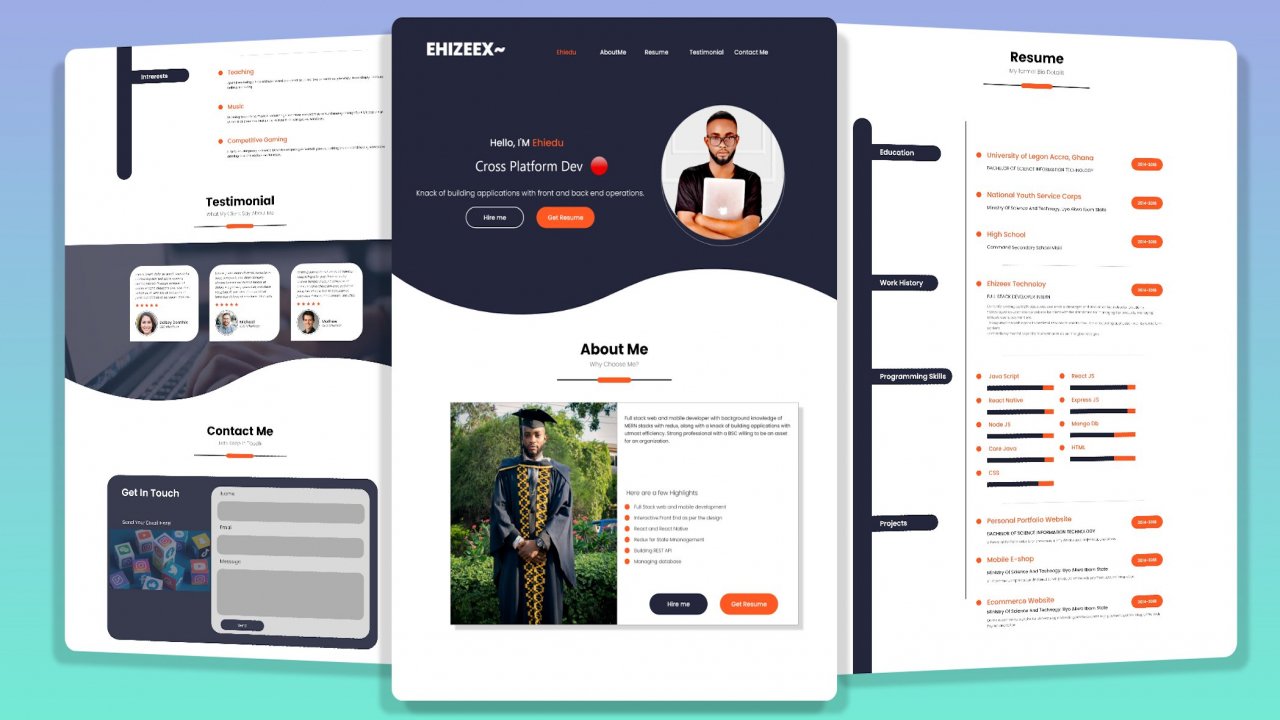
Building a visually appealing and adaptable portfolio website in React necessitates the integration of effective styling methods and responsive design principles. Proper styling enhances user experience, while responsiveness ensures the website functions seamlessly across various devices and screen sizes. This section explores diverse styling approaches in React, techniques for designing mobile-friendly layouts, and practical tips for achieving a responsive and adaptive website.Styling components in React can be achieved through multiple techniques, each offering unique advantages for maintainability, scalability, and ease of use.
Selecting the appropriate method depends on project requirements, team preferences, and the complexity of design.
Styling Approaches in React
React developers commonly utilize the following styling methods to craft component aesthetics:
- CSS Modules: This approach scopes CSS locally to individual components, preventing style conflicts across the application. CSS Modules are imported directly into React components, allowing for modular and maintainable styles. They are particularly beneficial for large-scale projects requiring encapsulated styling without global namespace pollution.
- Styled Components: Leveraging the CSS-in-JS paradigm, Styled Components enable defining styled React components with embedded CSS syntax. This method promotes component-based styling, dynamic styling through props, and improved readability. It is favored for its seamless integration with JavaScript and React ecosystem.
- Inline Styles: Applying styles directly within React components via the style attribute offers quick styling solutions, especially for dynamic or conditional styles. However, inline styles lack features like pseudo-classes and media queries, which limits their use for comprehensive styling needs.
Choosing the right styling technique influences the project’s scalability, ease of maintenance, and collaboration. For example, CSS Modules are suitable for moderate to large projects that require style encapsulation, while Styled Components excel in component-centric design systems. Inline styles serve well for small adjustments or dynamic styling scenarios.
Making the Website Mobile-Friendly and Adaptive
Achieving responsiveness involves designing layouts that adapt seamlessly to various screen sizes and orientations. Prioritizing mobile-friendliness enhances accessibility, user engagement, and performance.Responsive design techniques include:
- Flexible Grids and Layouts: Utilizing CSS Flexbox and CSS Grid systems enables creating fluid layouts that resize and reposition content dynamically. These CSS modules facilitate building complex, adaptable structures with minimal effort.
- Media Queries: Implementing media queries allows applying specific styles based on device characteristics such as width, height, or resolution. Properly crafted media queries ensure content scales appropriately, images are optimized, and navigation remains user-friendly across devices.
- Responsive Images: Serving images optimized for different screen sizes reduces load times and improves visual clarity. Techniques include using the HTML
srcsetattribute, CSS media queries, or modern formats like WebP.
In practical terms, developers should test layouts on multiple devices and emulators, ensuring that typography remains legible, interactive elements are accessible, and navigation is intuitive. Utilizing mobile-first design principles, where the mobile experience is prioritized and then scaled up for larger screens, promotes efficient and user-centered development.
Responsive Design Tips and Media Queries Examples
Implementing effective media queries involves defining breakpoints—specific screen widths where layout adjustments occur. Common breakpoints include 480px, 768px, 992px, and 1200px, corresponding to smartphones, tablets, desktops, and larger displays.A typical media query example:
@media (max-width: 768px) /* Styles for tablets and smaller devices – / .navigation flex-direction: column; align-items: center; .portfolio-item width: 100%;
Additional responsive design tips:
- Use relative units like %, em, rem instead of fixed pixels to allow flexible scaling.
- Prioritize touch-friendly design elements, including larger buttons and touch targets.
- Maintain consistent spacing and typography to ensure readability across devices.
- Test responsiveness regularly during development to identify and resolve layout issues promptly.
Adopting these methods and techniques ensures that the portfolio website remains attractive, functional, and user-friendly regardless of the device used to access it.
Fetching and Displaying Data in the Portfolio
Building a dynamic portfolio requires the ability to load and present project data efficiently. To achieve this, integrating external data sources such as APIs or local JSON files is essential. This approach allows for real-time updates, scalability, and a more interactive user experience. Using React’s built-in hooks like useEffect combined with fetch enables seamless data retrieval and rendering, making the portfolio more dynamic and engaging.Fetching and displaying data involve retrieving project information from external sources or local files and then rendering that data within React components.
This method not only simplifies content management but also prepares the portfolio for future enhancements, such as filtering or sorting projects based on user interactions.
Integrating APIs or Local JSON Files
Data integration forms the backbone of a dynamic portfolio website. You can source project data from various APIs, such as GitHub, Behance, or custom backend services, or store static data locally in JSON files. Using JSON files is often preferable during development or for static portfolios, while APIs are suitable for live, frequently updated content.To incorporate local JSON data, you typically import the JSON file directly into your React component:
import projectData from ‘./data/projects.json’;
This method allows React to load the data synchronously during build time, making it accessible throughout the component.For dynamic data fetching from APIs, React’s fetch API or libraries like Axios can be employed within useEffect. This ensures data is loaded after the component mounts, preventing blocking rendering and enabling smooth user experiences.
Using useEffect and fetch for Dynamic Content
React’s useEffect hook manages side effects, including data fetching, ensuring that data loads appropriately when components mount or update. The fetch API provides a straightforward method for retrieving data from external endpoints.Here’s an example demonstrating fetching project data from an API endpoint and updating component state:
import React, useState, useEffect from 'react';
function Projects()
const [projects, setProjects] = useState([]);
useEffect(() =>
fetch('https://api.example.com/projects') // Replace with actual API URL
.then(response => response.json())
.then(data =>
setProjects(data);
)
.catch(error =>
console.error('Error fetching projects:', error);
);
, []);
return (
My Projects
projects.map(project => (
-
project.title
project.description
View Project
))
);This pattern ensures that dataretrieval is performed once when the component mounts, and the fetched data dynamically populates the UI.
Rendering Data in React Components
Once data is fetched, integrating it into JSX involves mapping over the project array, generating JSX elements for each project. It’s crucial to assign a unique key to each element to assist React’s reconciliation process, improving performance and preventing warnings.Detailed steps include:
- Using the map() function to iterate over the data array.
- Creating JSX elements with project details such as title, description, and links.
- Handling loading states or errors to enhance user experience and robustness.
Example:
projects.length === 0 ? (
Loading projects...
) : ( projects.map(project => ( )))This approach ensures that project data is rendered dynamically, with graceful handling during data load or in case of errors. Styling and responsiveness can be further applied to these elements to create an attractive and mobile-friendly portfolio.
Enhancing User Experience with React Features
Building an engaging and intuitive portfolio website requires more than just static content; incorporating dynamic and interactive elements significantly elevates user satisfaction. React offers a robust ecosystem of tools and libraries that facilitate the addition of animations, transitions, and interactive features, enabling developers to craft seamless and visually appealing interfaces. These enhancements not only improve aesthetic appeal but also contribute to intuitive navigation and overall usability, making your portfolio stand out in competitive digital landscapes.Implementing advanced UX features in your portfolio involves integrating smooth animations, engaging transitions, and interactive components that respond fluidly to user actions.
Leveraging React’s declarative approach ensures these features are implemented efficiently and maintainably. Utilizing specialized libraries simplifies the process of adding sophisticated effects, enabling even developers with intermediate skills to produce polished, professional-grade interfaces. The following ideas and tools can greatly assist in refining user experience through React features.
List of UX Enhancements with Descriptions and React Tools/Libraries
Introducing various user experience improvements can make a significant difference in how visitors interact with your portfolio. Below are some popular enhancements, their purposes, and the React tools that facilitate their implementation:
- Animations and Transitions: Adding smooth entrance, exit, and state-change animations can make content appear more lively and engaging.
- React Transition Group: A popular library that provides simple components to animate components as they mount and unmount, making transitions smooth and manageable.
- Framer Motion: A powerful animation library offering an intuitive API for complex animations and gesture-based interactions, ideal for creating lively UI effects.
- Scroll-based Effects and Smooth Scrolling: Enhancing navigation with smooth scrolling or scroll-triggered animations improves flow and user engagement.
- react-scroll: Implements smooth scrolling between sections, providing a fluid navigation experience.
- AOS (Animate on Scroll) with React integration: Triggers animations as elements come into view, adding visual interest to the scrolling experience.
- Modals and Lightboxes: Displaying images or additional information in overlays without navigating away from the main content enhances interactivity.
- React Modal: A flexible library for creating customizable modal dialogs that can be triggered by user actions.
- React Image Lightbox: Specialized for image galleries, providing a clean and responsive lightbox viewing experience.
- Interactive Elements and Feedback: Incorporating hover effects, clickable animations, and real-time feedback enriches the user interface.
- React Spring: Implements physics-based animations that feel natural and responsive, suitable for buttons and interactive components.
- React UseGesture: Handles gestures like drag, pinch, and swipe, enabling touch-friendly interactions.
- Dynamic Content Loading and Lazy Loading: Improving performance and user experience by loading content asynchronously.
- React Lazy & Suspense: Built-in React features for code splitting and lazy loading components, ensuring fast initial load times.
- React Infinite Scroll: Loads data dynamically as the user scrolls, ideal for portfolios with extensive projects or blog posts.
Integrating these features with React not only enhances the visual charm of your portfolio but also improves usability by making interactions more intuitive and engaging. Carefully selecting and combining these tools ensures a cohesive and professional user experience that leaves a lasting impression on visitors.
Deploying the Portfolio Website
Deploying your React-based portfolio website is a crucial step in making your work accessible to potential employers, clients, or collaborators. Proper deployment ensures that your project is hosted online with optimal performance, security, and accessibility. Choosing the right platform for deployment can significantly influence your website’s loading speed, reliability, and ease of updates.
Various deployment options are available, each offering unique advantages suited to different needs and skill levels. This section provides an overview of popular deployment platforms such as GitHub Pages, Netlify, and Vercel, along with a detailed step-by-step guide to prepare your React project for production deployment. Additionally, a comparative table summarizes the key features, benefits, and potential limitations of each platform to assist in making an informed decision.
Deployment Platforms for React Portfolio Websites
Deploying a React portfolio involves configuring your project for production, building the optimized static files, and choosing a hosting platform that aligns with your technical familiarity and project requirements. Below, we explore three prominent options:
| Platform | Features | Pros | Cons |
|---|---|---|---|
| GitHub Pages | Free hosting for static sites directly from GitHub repositories; supports custom domains; simple setup process for React apps using `gh-pages` branch | Cost-effective; integrates seamlessly with GitHub; straightforward for small projects and personal sites | Limited to static content; requires manual setup for build processes; no server-side features |
| Netlify | Continuous deployment from Git repositories; supports serverless functions; built-in form handling; automatic SSL; drag-and-drop deployment | Easy to set up; offers powerful features for static and JAMstack sites; free tier includes generous limits | Some advanced features require understanding of deployment pipelines; free plan has bandwidth limits |
| Vercel | Optimized for Next.js but supports React; automatic builds from Git; serverless functions; CDN distribution | Fast deployment; seamless Git integration; excellent performance for React apps; easy to configure | Advanced features may lead to a learning curve; free tier has limits on serverless functions and bandwidth |
Preparing the React Portfolio for Deployment
Before deploying your React portfolio website, it is essential to configure your project for production. This process involves building optimized static assets, managing environment variables, and ensuring that your application is production-ready to enhance performance and security.
- Update the `package.json` file to include a `homepage` property specifying the URL where your site will be hosted. This helps React correctly resolve asset paths during build.
- Run the build command `npm run build` or `yarn build`. This generates an optimized `build` folder containing static files ready for deployment.
- Test the production build locally using a simple server like `serve` by executing `npx serve -s build` to ensure everything functions correctly before uploading.
- Configure environment variables securely if your project relies on APIs or external services, ensuring sensitive data isn’t exposed.
- Push your latest code to the remote repository if deploying via Git-based platforms, ensuring all recent changes are included.
Deployment Process for Selected Platforms
Each deployment platform has specific steps to publish your React portfolio. Below are generalized procedures for GitHub Pages, Netlify, and Vercel:
GitHub Pages
- Ensure your project repository is up to date with all changes committed.
- Install the `gh-pages` package via `npm install gh-pages –save-dev`.
- Add deployment scripts to your `package.json`, such as:
“scripts”: “predeploy”: “npm run build”, “deploy”: “gh-pages -d build”, “start”: “react-scripts start”
- Run `npm run deploy` to push the build to the `gh-pages` branch.
- Configure repository settings on GitHub to enable GitHub Pages from the `gh-pages` branch.
- Access your website at `https://
.github.io/ /`.
Netlify
- Connect your Git repository to Netlify via the dashboard.
- Configure build settings: specify the build command (`npm run build`) and the publish directory (`build`).
- Click deploy and wait for Netlify to build and publish your site.
- Configure custom domains and SSL through Netlify’s dashboard if desired.
- Your site will be available at a Netlify-generated URL or your custom domain.
Vercel
- Import your project from your Git provider (GitHub, GitLab, Bitbucket) into Vercel.
- Vercel auto-detects React projects; confirm build settings: `npm run build` and output directory `build`.
- Click deploy, and Vercel will handle the process.
- Configure custom domains and environment variables if needed.
- Your portfolio becomes accessible via the assigned Vercel URL or custom domain.
Continuous Improvement and Learning Resources
Building and maintaining a React JS portfolio is an ongoing process that benefits greatly from continuous learning and regular updates. Staying current with the latest tools, features, and best practices ensures your portfolio remains relevant and showcases your evolving skills effectively. Incorporating new projects, experimenting with advanced React concepts, and engaging with the community are essential strategies to enhance your proficiency and visibility as a developer.Consistent learning and active engagement with the React ecosystem enable you to adapt to industry trends and incorporate innovative functionalities into your portfolio.
Leveraging reputable online resources, tutorials, and community forums can significantly accelerate your growth, provide inspiration, and help troubleshoot complex issues. Keeping your portfolio updated not only reflects your latest capabilities but also demonstrates your commitment to professional development to potential employers or clients.
Strategies for Updating the Portfolio with New Projects and Skills
Regularly reviewing and refreshing your portfolio is crucial to reflect your current expertise and project experience. You can adopt the following strategies:
- Set periodic review intervals, such as quarterly or biannually, to evaluate your portfolio’s content and identify areas for enhancement.
- Incorporate new projects that utilize recent React features or address different domains, such as e-commerce, data visualization, or mobile responsiveness.
- Highlight skill upgrades or certifications by updating the skills section and demonstrating new technologies like React Hooks, Context API, or testing libraries.
- Implement user feedback or peer reviews to improve UI/UX and ensure your portfolio remains engaging and professional.
- Use version control systems like Git to track changes and manage incremental updates seamlessly.
Recommended Online Courses, Tutorials, and Community Forums
Access to quality learning resources and active community support is vital in your React JS journey. Here are some reputable platforms and communities that offer comprehensive tutorials, courses, and forums for continuous learning:
| Resource | Description | Link |
|---|---|---|
| React Official Documentation | The most authoritative resource for React concepts, API references, and advanced features directly from the React team, regularly updated to reflect the latest developments. | React Docs |
| freeCodeCamp React Curriculum | An interactive platform offering free tutorials and projects to understand React fundamentals, hooks, and state management through hands-on exercises. | freeCodeCamp React |
| Udemy React Courses | Comprehensive paid courses covering beginner to advanced React topics, often including real-world projects and lifetime access for continuous reference. | Udemy React Courses |
| Reactiflux Discord Community | A highly active chat server where developers discuss React, share resources, troubleshoot issues, and collaborate on projects in real-time. | Reactiflux |
| Stack Overflow | A vast platform for seeking solutions to specific React problems, reading common issues, and learning from community-shared solutions. | React on Stack Overflow |
| Egghead.io React Tutorials | Concise, expert-led video lessons focusing on modern React features, hooks, and advanced patterns, suitable for developers aiming to deepen their understanding. | Egghead React Tutorials |
“Engagement with community forums and continuous education ensures you stay well-informed about the latest React advancements and best practices.”
Closing Summary
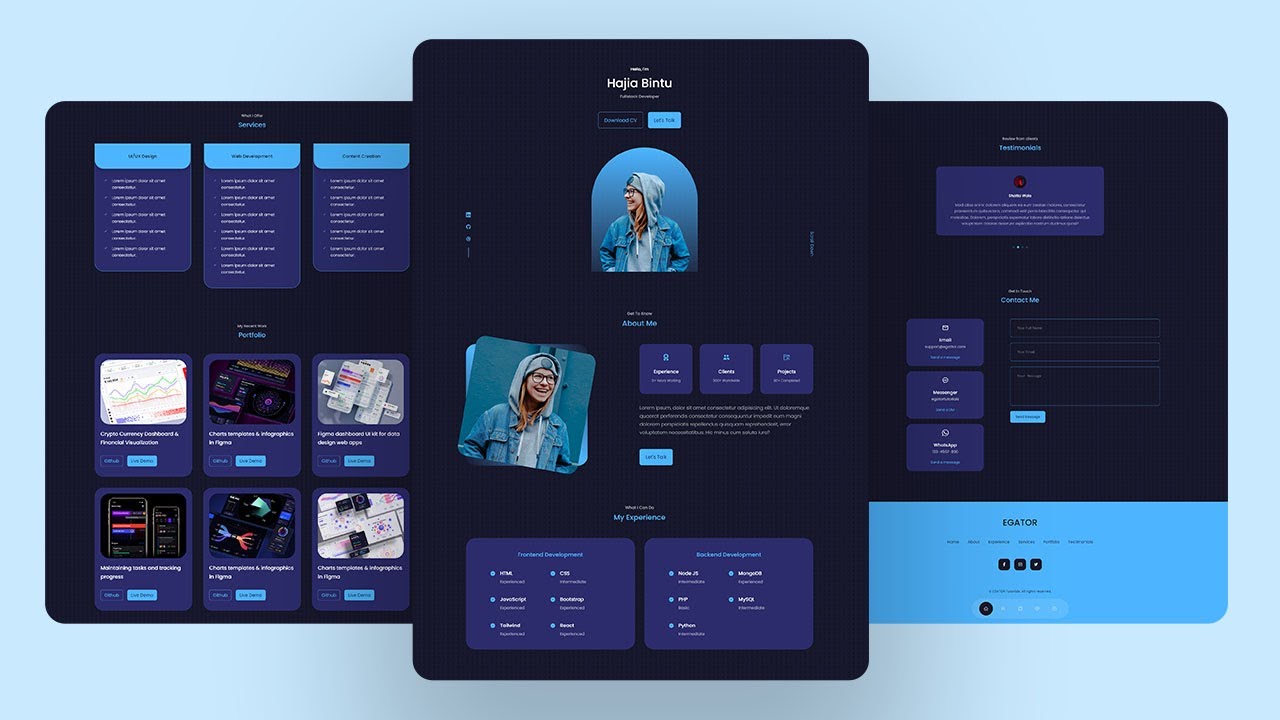
By following this approach, learners can transform their understanding of React JS into a functional, visually appealing portfolio that highlights their capabilities. Continuous updates and leveraging various resources will further deepen their expertise, paving the way for ongoing growth in their development career.