Learning how to effectively integrate React JS with TypeScript opens new horizons in modern web development, offering enhanced type safety and development efficiency. This comprehensive guide aims to walk you through the essential steps, from understanding core concepts to deploying optimized applications, ensuring a smooth learning journey for beginners and experienced developers alike.
By exploring the practical setup procedures, core React principles, and TypeScript integration techniques, this resource provides a structured path to mastering React with TypeScript. Emphasizing best practices and real-world examples, it equips you with the knowledge needed to build scalable, maintainable, and robust web applications.
Introduction to React JS with TypeScript
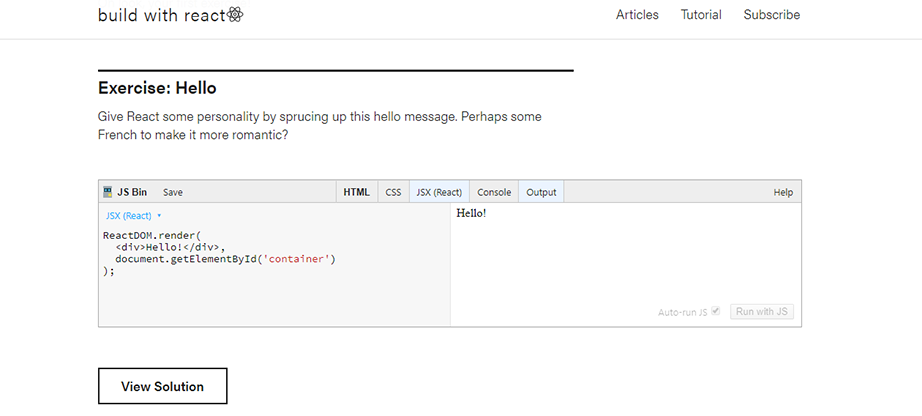
Combining React JS with TypeScript has become a prevalent approach in modern web development. React, renowned for its component-based architecture and efficient rendering, enables developers to build dynamic and interactive user interfaces. When paired with TypeScript, a statically typed superset of JavaScript, the development process gains enhanced robustness, maintainability, and developer productivity. This integration allows for early detection of errors, improved code readability, and better tooling support, making it an ideal choice for large-scale and enterprise-level applications.
Historically, React was initially developed by Facebook and released in 2013, quickly gaining popularity due to its innovative virtual DOM and declarative style. TypeScript, developed by Microsoft, was introduced to add static typing to JavaScript, helping developers write clearer and more error-resistant code. The synergy between React and TypeScript started gaining traction around 2017-2018, as the React community recognized the benefits of type safety in complex applications.
Over time, official TypeScript typings for React were refined, and the integration became more seamless through dedicated tools like the React TypeScript template and community-supported libraries. Today, React with TypeScript is considered a best practice for building scalable, maintainable, and high-quality web applications.
Prerequisites and Recommended Knowledge Base for Beginners
Before diving into React JS with TypeScript, it is essential to have a foundational understanding of several core web development concepts. These prerequisites ensure a smoother learning curve and enable beginners to grasp advanced topics more effectively.
- JavaScript Fundamentals: A strong grasp of JavaScript ES6+ features such as arrow functions, destructuring, modules, promises, and async/await is crucial, as React heavily relies on these concepts.
- HTML and CSS: Understanding semantic HTML tags, CSS styling, box model, and responsive design principles is necessary to create well-structured and visually appealing interfaces.
- Basic TypeScript Knowledge: Familiarity with TypeScript syntax, including types, interfaces, classes, and generics, will facilitate smoother integration with React components.
- Package Managers and Build Tools: Experience with npm or yarn for dependency management, as well as basic knowledge of bundlers like Webpack or Vite, will help in setting up and managing React projects efficiently.
Additionally, having experience with version control systems such as Git enhances collaboration and project management. While these prerequisites provide a solid foundation, learners are encouraged to explore online tutorials, official documentation, and hands-on projects to deepen their understanding and gain practical experience in React and TypeScript development.
Setting Up a React Project with TypeScript

Establishing a React project with TypeScript support is a fundamental step for developers aiming to build scalable and type-safe web applications. This process involves initializing a new project using command-line interfaces (CLI) tools that streamline setup, ensuring a smooth transition into development with best practices in mind.
Proper setup not only simplifies initial development but also lays a solid foundation for maintainability and scalability. Adopting a structured folder organization, along with leveraging modern CLI commands, enhances productivity and facilitates collaboration within teams.
Initializing a New React Project with TypeScript Using CLI
Utilizing CLI tools like Create React App or Vite ensures a quick and reliable project setup with TypeScript integration. The following table provides a clear, step-by-step guide to this process, highlighting the commands used and the expected results at each stage.
| Step Description | Used | Expected Outcome |
|---|---|---|
| Open your terminal or command prompt. | Terminal or command-line interface (CLI) | Ready to input commands for project setup. |
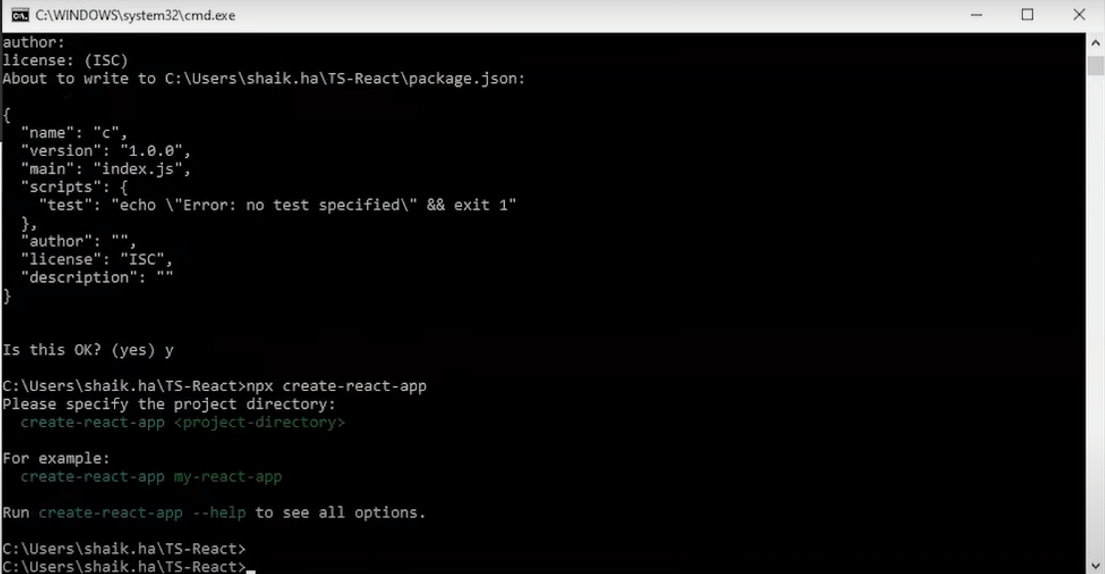
| Run the command to create a new React app with TypeScript template using Create React App. | npx create-react-app my-react-typescript --template typescript |
Initializes a React project named ‘my-react-typescript’ with all necessary TypeScript configurations and dependencies. |
| Navigate into the project directory. | cd my-react-typescript |
Current working directory is set to the newly created project folder. |
| Start the development server. | npm start |
The app launches in your default browser, typically at http://localhost:3000, displaying the default React TypeScript template. |
| Install additional dependencies if needed, such as React Router or state management libraries. | e.g., npm install react-router-dom |
Project is equipped with necessary packages for advanced features. |
Best Practices for Project Folder Structure
A well-organized folder structure is essential for maintaining clarity and scalability as the project grows. The following guidelines aim to optimize project organization, facilitating easier navigation and modular development.
“Organizing your project into feature-based directories promotes better scalability and easier maintenance. Each feature or domain should encapsulate its components, styles, and related logic.”
Adopting a modular folder hierarchy allows teams to manage complex applications efficiently. Here is an example structure suitable for most React TypeScript projects:
src/
├── assets/               // Static assets like images, fonts, icons
├── components/           // Reusable UI components
│   ├── Button/
│   │   ├── Button.tsx
│   │   └── Button.module.css
│   └── Header/
│       ├── Header.tsx
│       └── Header.module.css
├── features/             // Feature-specific modules, contains pages and feature components
│   ├── user/
│   │   ├── UserPage.tsx
│   │   ├── userSlice.ts
│   │   └── UserService.ts
│   └── products/
│       ├── ProductPage.tsx
│       ├── productSlice.ts
│       └── ProductService.ts
├── hooks/                // Custom React hooks
├── services/             // API services and utilities
├── styles/               // Global styles and themes
├── utils/                // Utility functions
└── App.tsx               // Main application component
By grouping related files within feature folders, developers can easily locate and modify functionalities. Separating assets, components, features, and utilities enhances code clarity and simplifies scaling efforts, especially in larger teams or projects with multiple modules.
Core Concepts of React JS
Understanding the fundamental concepts of React JS is essential to building dynamic and efficient web applications. These core principles include components, state, props, and lifecycle methods, each playing a vital role in managing the user interface and data flow within React applications. When combined with TypeScript, these concepts become more robust, providing type safety and better developer experience.
In this section, we will explore each of these core concepts in detail, illustrating how TypeScript enhances their implementation through code snippets and comparative analysis. Recognizing the distinctions between class and functional components with hooks will further clarify modern React development practices.
Components
Components are the building blocks of React applications. They encapsulate UI elements and logic, enabling reusable and maintainable code. Components can be defined as class components or functional components. With TypeScript, components gain explicit type definitions for props and state, improving code clarity and catching errors early in development.
Example of a functional component with TypeScript:
import React from 'react';

interface GreetingProps
  name: string;


const Greeting: React.FC = ( name ) =>
  return <h1>Hello, name!</h1>;
;

export default Greeting;
State
State represents the dynamic data of a component, dictating how the UI appears and behaves. Managing state effectively is crucial for responsive interfaces. In TypeScript, defining the state structure ensures that updates conform to expected data types, reducing runtime errors.
Class component with typed state:
import React,  Component  from 'react';

interface CounterState
  count: number;


class Counter extends Component<, CounterState>
  state: CounterState =
    count: 0,
  ;

  increment = () =>
    this.setState( count: this.state.count + 1 );
  ;

  render()
    return (
      <div>
        <p>Count: this.state.count</p>
        <button onClick=this.increment>Increment</button>
      </div>
    );


export default Counter;
Props
Props are inputs passed to components, facilitating data sharing and component customization. Proper typing of props with TypeScript improves component integration and reduces prop-related bugs. Props should be explicitly typed to specify required and optional properties, enhancing component robustness.
Functional component with typed props:
interface UserCardProps
  username: string;
  age?: number;


const UserCard: React.FC<UserCardProps> = ( username, age ) => (
  <div>
    <h2>User: username</h2>
    age && <p>Age: age</p>
  </div>
);
Lifecycle Methods
Lifecycle methods are special hooks that allow execution of code at specific stages of a component’s existence, such as mounting, updating, and unmounting. In class components, these methods include componentDidMount, componentDidUpdate, and componentWillUnmount. Functional components leverage hooks like useEffect to handle similar lifecycle events, offering more concise syntax and better integration with modern React practices.
Example using useEffect hook:
import React,  useEffect  from 'react';

const DataFetcher: React.FC = () =>
  useEffect(() =>
    // Fetch data when component mounts
    fetchData();

    // Cleanup logic if necessary when component unmounts
    return () =>
      cleanup();
    ;
  , []);

  const fetchData = () =>
    // Data fetching logic here
  ;

  const cleanup = () =>
    // Cleanup actions here
  ;

  return <div>Data loading...</div>;
;

export default DataFetcher;
Comparison Table: Class Components vs. Functional Components with Hooks
Understanding the differences between traditional class components and modern functional components with hooks is essential in adopting React best practices. The table below provides an organized comparison of their features, syntax, and typical use cases.
| Aspect | Class Components | Functional Components with Hooks |
|---|---|---|
| Syntax | Class syntax extending React.Component, with render method | Function syntax returning JSX directly |
| State Management | Using this.state and this.setState() | Using useState() hook |
| Lifecycle Methods | componentDidMount, componentDidUpdate, componentWillUnmount | useEffect hook handles all lifecycle events |
| TypeScript Typing | Explicit typing via generic React.Component<Props, State> | Props typed via interface; state with useState<Type> |
| Code Complexity | More verbose, with this binding and lifecycle management | Concise, hooks simplify lifecycle and state handling |
| Use Cases | Legacy codebases, situations requiring lifecycle methods not easily replicated | Modern React development emphasizing simplicity and reusability |
Integrating TypeScript in React Components

Integrating TypeScript into React components enhances code reliability, maintainability, and developer productivity by enabling static type checking. This process involves defining clear interfaces for component properties and internal state, ensuring that components are used correctly and errors are caught early during development. Transitioning existing React components written in JavaScript to TypeScript can significantly improve code quality and facilitate scalable application development.
In this section, we explore how to define interfaces for React component props and state, demonstrate the conversion of JavaScript components into TypeScript, and highlight common TypeScript errors alongside practical solutions to resolve them efficiently.
Defining Interfaces for Component Props and State
When working with React components in TypeScript, explicitly defining interfaces for component props and state is crucial. This approach ensures type safety and clear documentation of what data each component expects and manages internally.
For functional components using hooks, interfaces specify the expected props, while state types are inferred or explicitly declared. For class components, interfaces manage both props and state, offering a robust structure for component data management.
Consider the following example of a functional component that displays user information:
interface UserProps
  name: string;
  age: number;
  isMember?: boolean; // optional prop


const UserProfile: React.FC<UserProps> = ( name, age, isMember ) =>
  return (
    <div>
      <h2>User Profile</h2>
      <p>Name: name</p>
      <p>Age: age</p>
      isMember && <p>Membership Status: Active</p>
    </div>
  );
;
For class components, defining interfaces for props and state helps in maintaining consistent data structures:
interface UserState
  loginAttempts: number;
  lastLogin: Date;


class UserComponent extends React.Component<UserProps, UserState>
  constructor(props: UserProps)
    super(props);
    this.state =
      loginAttempts: 0,
      lastLogin: new Date(),
    ;

  // component methods...
Explicitly defining interfaces improves code readability and helps catch type-related errors during compilation rather than at runtime.
Converting JavaScript React Components into TypeScript
The process of converting existing JavaScript components into TypeScript involves adding type annotations, defining interfaces, and resolving any implicit ‘any’ types. This transition enhances type safety and helps prevent bugs caused by type mismatches.
Begin by renaming JavaScript files from .jsx or .js to .tsx, which allows TypeScript to process JSX syntax. Next, identify component props and state, then define corresponding interfaces. Finally, annotate component classes or functions with these interfaces and resolve any type errors that arise.
For example, a simple JavaScript component:
function Greeting(props)
  return <h1>Hello, props.name</h1>;
Converts into TypeScript as:
interface GreetingProps
  name: string;


const Greeting: React.FC<GreetingProps> = ( name ) =>
  return <h1>Hello, name</h1>;
;
In cases where the component has internal state, declare an interface for the state and initialize it accordingly:
interface CounterState
  count: number;


class Counter extends React.Component<, CounterState>
  constructor(props: )
    super(props);
    this.state =  count: 0 ;

  // additional methods...
This systematic approach ensures a smooth transition from JavaScript to TypeScript, reducing potential for runtime errors and improving development efficiency.
Common TypeScript Errors and Solutions in React Projects
TypeScript errors often occur during integration with React projects, especially when types are misdefined or omitted. Below are common issues and their practical solutions:
-
Error: Property ‘x’ does not exist on type ‘Y’.
Solution: Ensure that interfaces correctly declare all expected properties. Use optional properties if some data may be absent:
interface MyComponentProps x?: string; // optional property -
Error: Implicit ‘any’ type detected.
Solution: Enable ‘noImplicitAny’ in tsconfig.json and specify explicit types for variables, function parameters, and return values. For example:
function handleClick(event: React.MouseEvent) // function logic -
Error: JSX element type ‘X’ does not have any construct or call signatures.
Solution: Verify that components are properly imported and correctly typed. For functional components, declare the type as React.FC<Props>.
-
Error: Type ‘null’ is not assignable to type ‘X’.
Solution: Use union types to account for nullable data, such as:
interface UserProps
  user?: User | null;
Addressing these errors early during development ensures a more robust codebase, reducing debugging time and enhancing overall code quality in React projects integrated with TypeScript.
Managing State and Effects with TypeScript
Effective state management and side effect handling are central to building dynamic React applications. Leveraging TypeScript’s type system enhances these processes by providing clear constraints and improved code readability. This section explores how to utilize React hooks such as useState and useEffect with explicit TypeScript types, organize asynchronous data fetching with precise type annotations, and demonstrates common hook patterns that promote maintainability and type safety in React projects.
Understanding how to declare types correctly when managing state and effects ensures robust code, reduces runtime errors, and improves developer experience through better tooling support. As applications grow in complexity, leveraging TypeScript with React hooks becomes essential for predictable and scalable state management.
Typing useState and useEffect Hooks
React’s useState hook requires explicit type annotations to define the shape of state variables, especially when dealing with complex objects or asynchronous data. Using TypeScript generic syntax, developers can specify the exact type of the state, ensuring type safety across component updates.
Similarly, the useEffect hook, which manages side effects such as data fetching or event listeners, benefits from precise type annotations for dependencies and cleanup functions. Typing these hooks correctly prevents common bugs related to misconfigured dependencies or unintended side effects.
Example of useState with explicit type:
const [user, setUser] = useState(null); Example of useEffect with typed asynchronous fetch:
useEffect(() =>
  async function fetchData(): Promise
    const response = await fetch('https://api.example.com/data');
    const data: DataType = await response.json();
    setData(data);

  fetchData();
, []);
Handling Asynchronous Data Fetching with TypeScript
Fetching data asynchronously in React components is common, and proper type annotations ensure that the data conforms to expected formats, reducing bugs and improving code clarity. When fetching data, define interfaces or types for expected responses, and annotate fetch functions and state setters accordingly.
Using async/await syntax combined with TypeScript types allows for cleaner code and better developer tooling support. Explicitly typing the data fetched ensures that subsequent data manipulations or component renders follow the intended data structure, thereby preventing runtime errors.
Example of typed data fetching:
interface UserData
  id: number;
  name: string;
  email: string;


const [userData, setUserData] = useState(null);

useEffect(() =>
  const fetchUser = async (): Promise =>
    const response = await fetch('/api/user');
    const data: UserData = await response.json();
    setUserData(data);
  ;
  fetchUser();
, []);
Common Hook Patterns with TypeScript Syntax
Adopting standardized hook patterns improves code consistency and readability. Below is a table outlining typical hook usage patterns with TypeScript, covering state initialization, effect dependencies, cleanup, and data fetching practices.
| Pattern | TypeScript Implementation | Description |
|---|---|---|
| State with Primitive Type |
|
Manages numerical state, such as counters or numeric values. |
| State with Object Type |
|
Stores complex data objects, initialized as null or default values. |
| Effect for Data Fetching |
|
Executes asynchronous fetch on component mount, with type-annotated response data. |
| Effect with Cleanup |
|
Manages subscriptions or event listeners that require cleanup to prevent memory leaks. |
Routing and Navigation in React with TypeScript
Effective routing and navigation are fundamental aspects of building scalable and user-friendly React applications. When integrating React Router with TypeScript, developers can leverage type safety to prevent errors related to route parameters and navigation logic. This ensures that route definitions are consistent, predictable, and easier to maintain, especially in larger projects with complex navigation structures.
Implementing routing with TypeScript support involves setting up React Router in a way that fully benefits from TypeScript’s static type checking. This approach not only improves developer experience by catching potential issues early but also enhances code readability and robustness. In this section, we explore how to configure React Router with TypeScript, define route configurations with type safety, and handle route parameters methodically.
Setting Up React Router with TypeScript Support
To begin, install the necessary dependencies for React Router and TypeScript integration. Use the following command:
npm install react-router-dom @types/react-router-dom
This ensures that React Router components and hooks are available with proper TypeScript typings. Next, import relevant components such as BrowserRouter, Routes, and Route from react-router-dom. Wrap the main application component within BrowserRouter to enable routing capabilities across the app.
Example setup:
<BrowserRouter>
  <App />
</BrowserRouter>
Within the App component, define your routes using the Routes and Route components, ensuring to specify path and element props with proper types.
Type-Safe Route Definitions and Navigation Configurations
Creating route configurations with type safety involves defining a route parameter type interface or type alias that delineates expected parameters. This practice minimizes runtime errors due to mismatched or missing parameters.
For example, define a type for route parameters:
type RouteParams = userId: string; postId?: string;;
Using this, you can create a route with dynamic parameters that are checked by TypeScript:
<Route
  path="/user/:userId"
  element=<UserPage />
 />
When navigating programmatically, use the useNavigate hook with type safety in mind:
const navigate = useNavigate();
navigate(`/user/$userId`); // TypeScript ensures userId is a string
Handling Route Parameters and URL Parameters in TypeScript
Handling route parameters accurately requires extracting them with type safety to prevent runtime issues. React Router provides the useParams hook, which can be typed to enforce expected parameter structures.
Example of typing route parameters:
import  useParams  from 'react-router-dom';

type UserParams =
  userId: string;
;

function UserPage()
  const  userId  = useParams() as UserParams;

  // Use userId safely knowing it's a string
  return <div>User ID: userId</div>
For URLs with multiple parameters, define an interface or type and cast the output of useParams accordingly. This approach ensures that each parameter is explicitly typed, reducing errors and improving code clarity.
Working with Forms and User Input
Handling user input effectively is a fundamental aspect of building interactive React applications. In TypeScript, leveraging strict typing enhances form management by providing clear interfaces for form data, reducing errors, and improving code maintainability. This section explores techniques to create controlled forms, validate input data, and manage form submissions seamlessly within a TypeScript environment.
Implementing robust form handling involves defining precise data structures, managing component state appropriately, and ensuring user inputs are validated before processing. By combining React’s controlled components with TypeScript interfaces, developers can create intuitive and reliable forms that provide real-time feedback and maintain data integrity throughout the user interaction.
Building Controlled Forms with TypeScript Interfaces
Controlled forms in React are those where form elements derive their values from component state, enabling precise control over user input. When integrating TypeScript, defining interfaces for form data ensures each input’s data type is explicitly specified, promoting type safety and code clarity.
Example TypeScript interface for a registration form:
<code>interface RegistrationFormData
  username: string;
  email: string;
  password: string;
</code>
Using such interfaces, state variables can be typed accurately, and input handling functions can be strongly typed. For instance, setting up state with useState:
<code>const [formData, setFormData] = React.useState<RegistrationFormData>>(
  username: '',
  email: '',
  password: ''
);</code>
Event handlers update the state with user input, ensuring controlled components behave predictably and data types are enforced by TypeScript, minimizing runtime errors.
Validating Form Data and Handling Submission Events
Validation is vital to ensure the data entered by users meets specific criteria before it is processed or sent to a server. In React with TypeScript, validation functions can be typed explicitly, and validation logic can be incorporated into form submission handlers.
- Define validation rules based on form requirements, such as non-empty fields, email format, or password strength.
- Implement validation functions that accept form data typed as per the established interfaces, returning validation results or error messages.
- Handle form submission events by preventing default behavior, validating data, and providing user feedback based on validation outcomes.
Example validation function for email format:
<code>const validateEmail = (email: string): boolean =>
  const emailRegex = /^[\\w-\\.]+@([\\w-]+\\.)+[\\w-]2,4$/;
  return emailRegex.test(email);
;</code>
During form submission, validation results can be checked, and appropriate actions taken, such as displaying error messages or proceeding with data processing. This approach ensures data integrity and enhances user experience through immediate feedback and error prevention.
Comparison of Form Handling Approaches with TypeScript Types
| Approach | Description | TypeScript Type | Advantages |
|---|---|---|---|
| Controlled Components | Form elements are controlled through React state, with value and onChange handlers. | Interface defining form data, e.g.,
|
Provides real-time control over form data, easy to validate and manipulate inputs. |
| Uncontrolled Components | Form elements are managed by the DOM, with refs used to access values. | Using RefObject types, e.g.,
|
Less boilerplate, suitable for simple forms or integrating with third-party libraries. |
| Formik or Similar Libraries | External libraries that simplify form state management, validation, and submission. | Custom types or interfaces for form data can be integrated seamlessly, e.g.,
|
Reduces boilerplate, offers built-in validation, error handling, and easier complex forms management. |
Choosing the appropriate approach depends on the complexity of the form, project requirements, and developer preference. Properly typed forms improve code readability, reduce bugs, and facilitate maintenance by ensuring strict adherence to data structures enforced by TypeScript.
Connecting React with APIs and Backend Services
Integrating React applications with backend services and APIs is essential for creating dynamic, data-driven user interfaces. Understanding how to fetch, send, and handle data effectively allows developers to build robust applications that can interact seamlessly with server-side resources. When combined with TypeScript, this process becomes safer and more maintainable, thanks to static type checking and clear data modeling.
This section covers the procedures for connecting React components with external APIs, utilizing popular libraries such as the Fetch API and Axios. It also discusses how to define data models using TypeScript interfaces or types, implement error handling, and ensure data validation within your application.
Fetching and Sending Data Using Fetch API or Axios with TypeScript
Efficiently retrieving and transmitting data between React and backend services requires choosing the appropriate tools and implementing them correctly within a TypeScript context. Both Fetch API and Axios are popular choices, with Axios offering additional features such as request cancellation and automatic JSON transformation.
When using these tools, it is crucial to type your data models explicitly, enabling TypeScript to catch potential errors early and providing better code autocomplete and documentation support.
Example of fetching data with Axios:
import axios from 'axios';

interface User
  id: number;
  name: string;
  email: string;


const fetchUserData = async (): Promise =>
  try
    const response = await axios.get('https://api.example.com/users');
    return response.data;
   catch (error)
    // Handle error appropriately
    throw new Error(`Error fetching users: $error`);

;
Similarly, the Fetch API can be employed with TypeScript for basic data retrieval, emphasizing type assertions and error handling:
const fetchUserData = async (): Promise =>
  try
    const response = await fetch('https://api.example.com/users');
    if (!response.ok)
      throw new Error(`HTTP error! status: $response.status`);

    const data: User[] = await response.json();
    return data;
   catch (error)
    // Handle error appropriately
    throw new Error(`Error fetching users: $error`);

;
Defining Data Models Using Interfaces or Types
Defining clear data models is fundamental in TypeScript projects, especially when working with external APIs. These models serve as contracts, ensuring data received or sent conforms to expected shapes, thereby reducing runtime errors and improving code clarity.
Interfaces and types can specify the structure of objects, including nested properties, optional fields, and readonly attributes. Using these models consistently across components and services enhances code maintainability and scalability.
Sample data model for a user object:
interface User
  id: number;
  name: string;
  email?: string; // Optional property
  roles: string[];
For more complex data, nested interfaces or types can be used to represent hierarchical data structures, ensuring comprehensive type safety.
Organizing Steps for Error Handling and Data Validation within TypeScript Contexts
Implementing robust error handling and data validation is critical to building resilient applications. TypeScript’s static typing aids in early detection of inconsistencies, but runtime errors must be managed explicitly.
Key practices include:
- Checking API response status codes and response.ok for fetch requests.
- Wrapping asynchronous calls within try-catch blocks to catch network errors or unexpected responses.
- Validating data against predefined TypeScript interfaces or using validation libraries such as Yup or Zod for more complex scenarios.
- Providing fallback UI or user notifications when errors occur to improve user experience.
Example of error handling with Axios:
try
  const response = await axios.get('https://api.example.com/users');
  // Process response.data
 catch (error)
  if (axios.isAxiosError(error))
    // Handle Axios error
    console.error('Axios error:', error.message);
   else
    // Handle non-Axios errors
    console.error('Unexpected error:', error);
Data validation ensures that received data adheres to expected formats, preventing issues downstream. Combining TypeScript’s type system with runtime validation libraries provides a comprehensive strategy for data integrity.
Styling React Components with TypeScript
Effective styling of React components enhances the visual appeal and usability of applications. When integrating TypeScript, it is essential to adopt styling methods that support type safety, maintainability, and scalability. This section explores various approaches to styling React components with TypeScript, including CSS-in-JS solutions like styled-components and CSS Modules, along with best practices for organizing style files within a project.
Implementing styles in React with TypeScript involves selecting methods that provide seamless integration, clear type definitions, and organized project structure. Leveraging these approaches allows developers to build visually consistent interfaces while maintaining code robustness through TypeScript’s type checking features.
Implementing CSS-in-JS and Styled-Components with TypeScript
CSS-in-JS libraries such as styled-components have gained popularity for their ability to define styles directly within JavaScript or TypeScript files. These libraries enable dynamic styling based on component props, promote component encapsulation, and reduce stylesheet management overhead.
Using styled-components with TypeScript involves defining styled components with explicit type annotations for props. This ensures type safety and better developer experience through IDE support and compile-time checks.
Example of a styled component with TypeScript:
import styled from 'styled-components';

interface ButtonProps
  primary?: boolean;


// Styled button with conditional styling based on props
const Button = styled.button`
  background-color: $( primary ) => primary ? 'blue' : 'gray';
  color: white;
  padding: 10px 20px;
  border: none;
  border-radius: 4px;
  cursor: pointer;

  &:hover
    opacity: 0.8;

`;
In this example, the Button component accepts a primary boolean prop, with TypeScript enforcing the type, enabling safe and predictable styling behavior.
Using CSS Modules with TypeScript
CSS Modules provide scoped styling by locally scoping class names, reducing conflicts and improving maintainability. When combined with TypeScript, CSS Modules require type declarations for class names, which can be achieved through custom type definition files or using dedicated typings packages.
This approach promotes reusability and modularity, especially in large-scale projects.
Example of a CSS Module with TypeScript:
// Button.module.css
.button
  background-color: green;
  color: white;
  padding: 12px 24px;
  border: none;
  border-radius: 4px;
  cursor: pointer;
// Button.tsx
import styles from './Button.module.css';
const Button: React.FC = () =>
return (
);
;
To ensure TypeScript recognizes the CSS module class names, a declaration file such as *.d.ts can be added:
declare module '*.module.css'
  const classes:  [key: string]: string ;
  export default classes;
Organizing Style Files within a React Project
Maintaining a well-organized style folder structure is vital for project scalability. Common practices include grouping styles by component, feature, or page, which simplifies maintenance and enhances clarity.
Recommended strategies include:
- Creating dedicated directories for each component, containing component files and related styles.
- Using descriptive naming conventions for style files, such as
ComponentName.module.cssorstyled-componentsdefined in the same file. - Separating global styles, themes, and utility styles into dedicated folders or files to promote reuse across components.
Adopting a consistent naming convention and folder hierarchy facilitates easier navigation, updates, and collaboration among team members, ensuring long-term project maintainability.
Testing React Applications with TypeScript
Ensuring the reliability and robustness of React applications developed with TypeScript is crucial for delivering high-quality software. Incorporating testing into your development workflow helps catch bugs early, verify component behavior, and maintain code integrity over time. This section explores the procedures for setting up a comprehensive testing environment using Jest and React Testing Library, creating type-safe test cases for React components, and understanding the strategic benefits of various testing methodologies when integrated with TypeScript.
Setting Up the Testing Environment with Jest and React Testing Library
Configuring an effective testing environment involves installing and configuring the necessary tools to facilitate seamless testing of React components with TypeScript. Jest, as a popular JavaScript testing framework, provides a robust environment for running unit and snapshot tests, while React Testing Library focuses on testing component behavior from a user perspective. The integration of TypeScript enhances type safety during testing, reducing runtime errors and improving developer confidence.
Begin by installing essential dependencies in your React project:
npm install --save-dev jest @testing-library/react @testing-library/jest-dom @types/jest @types/testing-library__react ts-jestNext, configure Jest to work with TypeScript by creating or updating the jest.config.js file:
module.exports =
  preset: 'ts-jest',
  testEnvironment: 'jsdom',
  setupFilesAfterEnv: ['@testing-library/jest-dom/extend-expect'],
;
This setup ensures Jest recognizes TypeScript files and integrates seamlessly with React Testing Library’s DOM assertions, fostering a friendly testing environment tailored for React and TypeScript.
Creating Type-Safe Test Cases for React Components
Developing test cases with TypeScript emphasizes type safety, which helps identify type mismatches early in the development process. When writing tests, TypeScript’s static analysis ensures that components are used correctly, props are passed with the right types, and expected behaviors are validated accurately.
Consider a simple React component accepting typed props:
interface ButtonProps
label: string;
onClick: () => void;
const MyButton: React.FC = ( label, onClick ) => (
);
A corresponding test case with TypeScript would look like this:
import render, fireEvent from '@testing-library/react';
import MyButton from './MyButton';
test('renders button with correct label and handles click', () =>
const handleClick = jest.fn();
const getByText = render(TypeScript ensures that the props passed to MyButton are of the correct type, preventing common mistakes such as passing non-string labels or incorrect callback types, which could cause runtime errors or unexpected behavior.
Testing Strategies and Their Benefits with TypeScript Integration
Leveraging varied testing strategies enhances the reliability of React applications. When combined with TypeScript, these strategies gain additional benefits such as early error detection and improved code maintainability. The following table summarizes common testing approaches, their core focus, and advantages when integrated with TypeScript:
| Testing Strategy | Description | Benefits with TypeScript |
|---|---|---|
| Unit Testing | Tests individual components or functions in isolation, verifying their correctness. | Type safety in props and function parameters reduces bugs; early detection of type mismatches. |
| Integration Testing | Checks the interaction between multiple components or modules to ensure they work together. | Type definitions help validate component interactions, preventing incompatible data flows. |
| Snapshot Testing | Captures the rendered output of components to detect unintended UI changes. | TypeScript ensures components are rendered with correct props, making snapshots more reliable. |
| End-to-End Testing | Simulates real user scenarios across the entire application, from UI to backend. | Type safety in API interactions and user input handling ensures realistic test scenarios. |
“Integrating TypeScript with testing strategies not only enhances code quality but also accelerates development by catching errors early, and ensuring consistent component behavior across different scenarios.”
Closure

In conclusion, mastering how to learn React JS with TypeScript integration empowers you to craft modern, efficient, and reliable web applications. By following the Artikeld steps and embracing best practices, you’ll be well-equipped to tackle complex projects with confidence and deliver high-quality user experiences.