Understanding how to effectively utilize git push and pull requests is essential for seamless collaboration in software development projects. These tools facilitate synchronized workflows, code review, and integration, ensuring that team members can contribute efficiently while maintaining code quality. Mastering these processes not only streamlines project management but also enhances team communication and productivity.
This guide provides a comprehensive overview of the fundamental concepts and practical steps involved in using git push and pull requests. From preparing repositories to managing reviews and merging changes, you will gain valuable insights into optimizing your version control workflow for successful team collaborations.
Overview of Git push and pull requests in version control systems
In collaborative software development, maintaining a synchronized and organized workflow is crucial. Git, as a distributed version control system, provides essential commands like git push and mechanisms such as pull requests to facilitate effective teamwork. Understanding these concepts ensures smooth integration of individual contributions into shared codebases, promoting efficient project management and high-quality code review processes.
Push operations and pull requests serve distinct but interconnected roles within the development lifecycle. While pushing updates allows developers to share their local changes with remote repositories, pull requests enable peer review, discussion, and controlled merging of code. Mastering these tools enhances collaboration, minimizes conflicts, and fosters a transparent development environment.
Git push: Updating remote repositories with local changes
In a collaborative environment, each developer maintains a local copy of the project repository. After making modifications, the next crucial step is to synchronize these changes with the central remote repository. The git push command accomplishes this by uploading your local commits, branches, or tags to the remote server, ensuring that everyone working on the project has access to the latest updates.
Using git push effectively requires understanding its syntax and workflow. Typically, one pushes a specific branch to its corresponding remote branch, which can be summarized as follows:
git push
For example, executing git push origin main uploads your local main branch to the remote named origin. This operation updates the remote repository with all commits that have been made locally but not yet shared. It is important to note that if your local branch is behind the remote, Git will prevent the push until you first pull and resolve any conflicts.
Pull requests: Facilitating code review and integration
Pull requests (PRs) are a vital feature in modern version control workflows, particularly when using platforms like GitHub, GitLab, or Bitbucket. They serve as formal proposals for integrating changes from one branch into another, typically from a feature branch into the main development branch. Through pull requests, team members can review, discuss, and approve modifications before merging them into the stable codebase.
The typical workflow for a pull request involves creating a dedicated feature branch, making relevant commits, and then submitting a PR via the hosting platform. This process promotes transparency and collaborative scrutiny, ensuring code quality and adherence to project standards. Reviewers can comment on specific lines, request modifications, or approve the change, streamlining the merging process once consensus is achieved.
Pull requests are not just about code transfer; they encompass discussion, validation, and consensus-building among team members.
Once approved, the pull request can be merged into the target branch. This operation often triggers automated tests or continuous integration workflows to verify the integrity of the combined code. Proper use of pull requests reduces the risk of introducing bugs, maintains consistent coding standards, and encourages knowledge sharing among team members.
Preparing a Local Repository for Push and Pull Requests

Efficient collaboration in software development relies heavily on proper setup and management of local repositories before integrating changes through push and pull requests. This process ensures that code modifications are organized, conflicts are minimized, and team workflows are smooth. Setting up your local environment correctly is foundational for contributing effectively to shared projects and maintaining code integrity.A well-prepared local repository involves initializing new repositories, cloning existing ones, and keeping branches synchronized.
Additionally, managing branches effectively—creating, switching, and organizing them for specific features or bug fixes—is crucial for maintaining a clean project history. Organizing commits thoughtfully before pushing ensures clarity in change history and facilitates easier code reviews and integration.
Initializing a Repository, Cloning, and Synchronizing Branches
Initializing a local repository creates a new project environment where version control begins. This step involves executing the command `git init`, which sets up the necessary `.git` directory. Once initialized, developers can add files to staging and commit changes locally, preparing the repository for future pushes.Cloning an existing remote repository is essential for contributing to shared projects or collaborating with others.
This process involves executing `git clone
Creating, Switching, and Managing Branches for Feature Development
Branches facilitate isolated development paths, allowing multiple features or bug fixes to proceed concurrently without affecting the main codebase. Creating a new branch typically involves `git branch
Organizing Commits Effectively Before Pushing
A clear and concise commit history is essential for understanding project evolution and simplifying collaboration. Organizing commits involves making logical, atomic changes—each commit should encapsulate a single, coherent modification. This practice improves code review efficiency and eases troubleshooting.Before pushing, reviewing changes with `git status` and `git diff` helps verify modifications and prepare commit messages that accurately describe the work undertaken.
Squashing multiple related commits into a single, meaningful commit using interactive rebase (`git rebase -i`) is beneficial when cleaning up local history before sharing changes with the team.Ensuring commits are well-organized also means avoiding large, monolithic changes; instead, breaking down work into smaller, manageable commits provides clarity. When ready, pushing these organized commits with `git push` updates the remote repository reliably, supporting smooth integration workflows for pull requests and collaborative development.
Executing git push
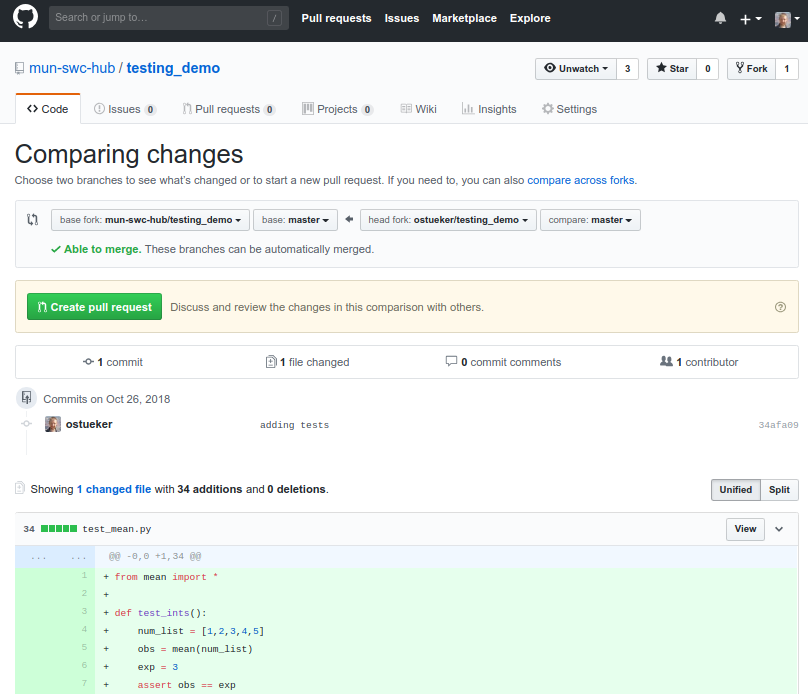
After making commits locally, pushing changes to a remote repository is a crucial step in collaborative development workflows. The git push command uploads your local commits to designated branches on remote repositories, ensuring that your work is available for others and integrated into shared project codebases. Proper execution of git push maintains synchronization between local and remote repositories, facilitating seamless collaboration and version control management.
Understanding the syntax and options available with git push allows developers to handle various scenarios effectively, such as setting upstream branches, overwriting remote history, or tagging releases. This section will cover the fundamental syntax for pushing with different options, compare common push flags, and highlight scenarios that require specific push strategies along with best practices to avoid potential pitfalls.
Basic syntax for pushing local commits
The simplest form of pushing commits involves specifying the remote repository and the branch name. The general syntax is as follows:
git push remote branch
For example, pushing your current local branch to the origin remote’s main branch can be executed as:
git push origin main
If your local branch is tracking a remote branch, a simple git push command without additional arguments will suffice to push your committed changes to the appropriate remote branch.
Comparison of push options
Different options in git push serve specific purposes, especially in complex workflows or when handling particular situations. Below is a table contrasting common push flags, their functions, and implications:
| Option | Description | Use Cases | Precautions |
|---|---|---|---|
--force |
Forces the update of a remote branch, overwriting history | Rewriting history after rebasing, correcting mistakes in remote history | Can overwrite others’ work; use with caution, preferably in shared branches where team agrees |
--set-upstream |
Sets the upstream branch for the current local branch | When pushing a new local branch to remote for the first time | Ensures future pushes and pulls are streamlined; avoid misconfiguring branches |
--tags |
Pushes all local tags to the remote repository | Sharing release tags or marking specific commits | Only push relevant tags to avoid cluttering remote with unnecessary tags |
Common push scenarios and precautions
Understanding when and how to use specific push options prevents accidental data loss and maintains repository integrity. Here are typical scenarios:
- Pushing updates to a remote branch: A straightforward push, such as
git push origin feature-branch, is suitable when the branch is up-to-date and no conflicts exist. Always verify that your local branch is synchronized with the remote to prevent conflicts. - Overwriting remote history after rebasing: When rebasing local commits to create a cleaner history, the remote branch must be force-pushed with
git push --force. Before doing so, ensure no other collaborators are working on the same branch to avoid overwriting their work. - Establishing upstream tracking: When creating a new branch locally, using
git push --set-upstream origin new-branchlinks your local branch with the remote, simplifying future push and pull commands. - Sharing tags: To push local tags, use
git push --tags. Confirm that only relevant tags are pushed, especially in shared repositories, to prevent cluttering the remote with unnecessary tags.
In all cases, especially when using options like --force, communicate with team members and ensure your actions align with collaborative workflows. Misuse of force pushes can lead to loss of data or conflicts, so they should be employed judiciously and with proper awareness of the repository state.
Creating and managing pull requests
After pushing changes to a remote repository, the next crucial step in collaborative development involves creating and managing pull requests. Pull requests serve as formal proposals to merge code from feature branches into the main development branches. They facilitate code review, discussion, and validation, ensuring high-quality contributions and smooth integration within the project.
Effective management of pull requests is essential for maintaining an organized workflow. This includes opening pull requests through hosting platforms such as GitHub, GitLab, or Bitbucket, assigning reviewers, providing comprehensive descriptions, and setting specific review requirements. Additionally, managing updates to pull requests and resolving conflicts are integral parts of the process to ensure a seamless and collaborative development environment.
Opening a pull request through hosting platforms
Hosting platforms provide user-friendly interfaces for creating pull requests, streamlining the process from local development to collaborative review. The process generally involves selecting the source branch, which contains your recent commits, and the target branch where the changes are intended to be merged. This step initiates a formal review process, allowing team members to evaluate and discuss the proposed modifications.
To open a pull request, developers typically follow these steps:
- Push their feature or bug-fix branch to the remote repository, ensuring all relevant commits are included.
- Navigate to the repository on the hosting platform.
- Locate the branch dropdown menu, then select the branch they wish to merge into the main branch (often ‘main’ or ‘develop’).
- Click on the option to create a new pull request, which opens a form to provide essential details.
- Fill in the pull request title and description, describing the purpose and scope of the changes.
- Review the automatically generated comparison between branches, confirming that the correct changes are being proposed.
- Submit the pull request to initiate the review cycle.
Assigning reviewers, adding descriptions, and setting review requirements
Once a pull request is created, collaborating team members or maintainers can assign reviewers to evaluate the proposed changes. Clear communication and defined review requirements enhance code quality and streamline approval workflows.
Key steps for managing review settings include:
- Assigning reviewers: Select specific team members or groups responsible for reviewing the pull request. This ensures accountability and distributes the review workload evenly.
- Adding detailed descriptions: Provide comprehensive context, including the problem addressed, implementation details, and any potential impact. Well-written descriptions facilitate efficient reviews and reduce misunderstandings.
- Setting review requirements: Configure project settings to enforce certain conditions before merging. This may include requiring a minimum number of approvals, passing CI/CD checks, or resolved code review comments. These requirements maintain code integrity and uphold project standards.
Updating pull requests with new commits and resolving merge conflicts
Throughout the review process, it is common for contributors to make additional updates or fixes based on feedback. Updating pull requests with new commits ensures that reviewers see the latest changes and can reevaluate accordingly.
To update a pull request, developers simply commit and push new changes to the source branch. The hosting platform automatically adds these commits to the existing pull request, preserving the review history and discussions.
Resolving merge conflicts is a critical aspect of updating pull requests, especially when multiple contributors work on related code areas. Conflicts occur when changes in the source branch overlap with those in the target branch, making automatic merging impossible.
The process for resolving conflicts involves:
- Fetching the latest changes from the target branch and rebasing or merging them into the feature branch locally.
- Identifying conflict markers within affected files, which indicate overlapping changes.
- Manually editing the conflicting sections to integrate both sets of changes logically and accurately.
- Adding the resolved files to staging, then committing the resolved state.
- Pushing the updated branch to the remote repository. This action updates the pull request, reflecting the conflict resolution.
Effective conflict resolution maintains a clean project history and minimizes disruption during the integration process. Clear communication with reviewers about conflict resolutions also promotes transparency and collaborative problem-solving.
Collaborating through pull requests
Effective collaboration in software development often hinges on structured code review processes facilitated by pull requests. These mechanisms not only enable team members to contribute changes seamlessly but also foster a culture of quality, accountability, and continuous improvement. When working with version control systems like Git, mastering the nuances of reviewing code, providing constructive feedback, and managing updates within pull requests is essential for maintaining the project’s integrity and promoting a collaborative environment.Code review via pull requests serves as a critical checkpoint before integrating new features or fixes into the main codebase.
It allows team members to evaluate changes for correctness, adherence to coding standards, and potential impacts on existing functionalities. Comments and discussions within pull requests facilitate transparent communication, ensuring that all stakeholders are aligned and informed about the modifications being proposed. Approving pull requests signifies consensus and readiness to merge, contributing to a controlled and auditable development process.Below are key methods and best practices for effective collaboration through pull requests:
Reviewing code, leaving comments, and approving changes
Providing meaningful feedback during the review process enhances code quality and team learning. Reviewers should examine the proposed changes carefully, focusing on aspects such as code readability, logic correctness, security implications, and compliance with project standards. Comments can be used to highlight specific issues or suggest improvements, fostering a productive discussion.To streamline this process, review tools embedded within platforms like GitHub or GitLab enable inline commenting directly on code snippets, making feedback precise and contextual.
Reviewers can mark their feedback as comments or suggestions, which the author can then address directly in the pull request. Once all concerns are resolved, reviewers can approve the changes, signaling that the code is ready for merging.The approval process typically involves:
- Reviewing code for alignment with project goals and standards
- Using inline comments to provide detailed feedback
- Addressing feedback through commits or updates
- Finally, approving the pull request to facilitate merging
Incorporating feedback and updating pull requests
The iterative nature of code reviews often necessitates multiple rounds of feedback and updates. When reviewers identify issues or suggest improvements, authors should promptly incorporate these changes by modifying their code and pushing new commits to the existing pull request.Effective communication during this process involves:
- Acknowledging feedback clearly within the pull request comments
- Making targeted updates that address the specific concerns raised
- Providing explanations or rationale for decisions when necessary
- Ensuring that all review comments are resolved before requesting re-approval
Maintaining a transparent history of discussions and revisions helps all contributors understand the evolution of the code and ensures that the final state reflects collective agreement.
Best practices for maintaining clear communication during reviews
Clarity and professionalism are vital for fostering a positive review environment. Clear communication helps prevent misunderstandings, reduces unnecessary revisions, and encourages constructive dialogue. Some recommended practices include:
- Using respectful and constructive language when providing feedback
- Being specific and precise to avoid ambiguity
- Providing context for suggestions to help authors understand the reasoning
- Highlighting both positive aspects and areas for improvement
- Keeping discussions focused on the code, avoiding personal criticisms
Additionally, documenting decisions and rationales in comments ensures transparency and serves as a reference for future reviews. When disagreements arise, open and courteous communication should be prioritized, with the goal of reaching consensus that aligns with the project’s standards and objectives.
Merging Pull Requests and Finalizing Changes
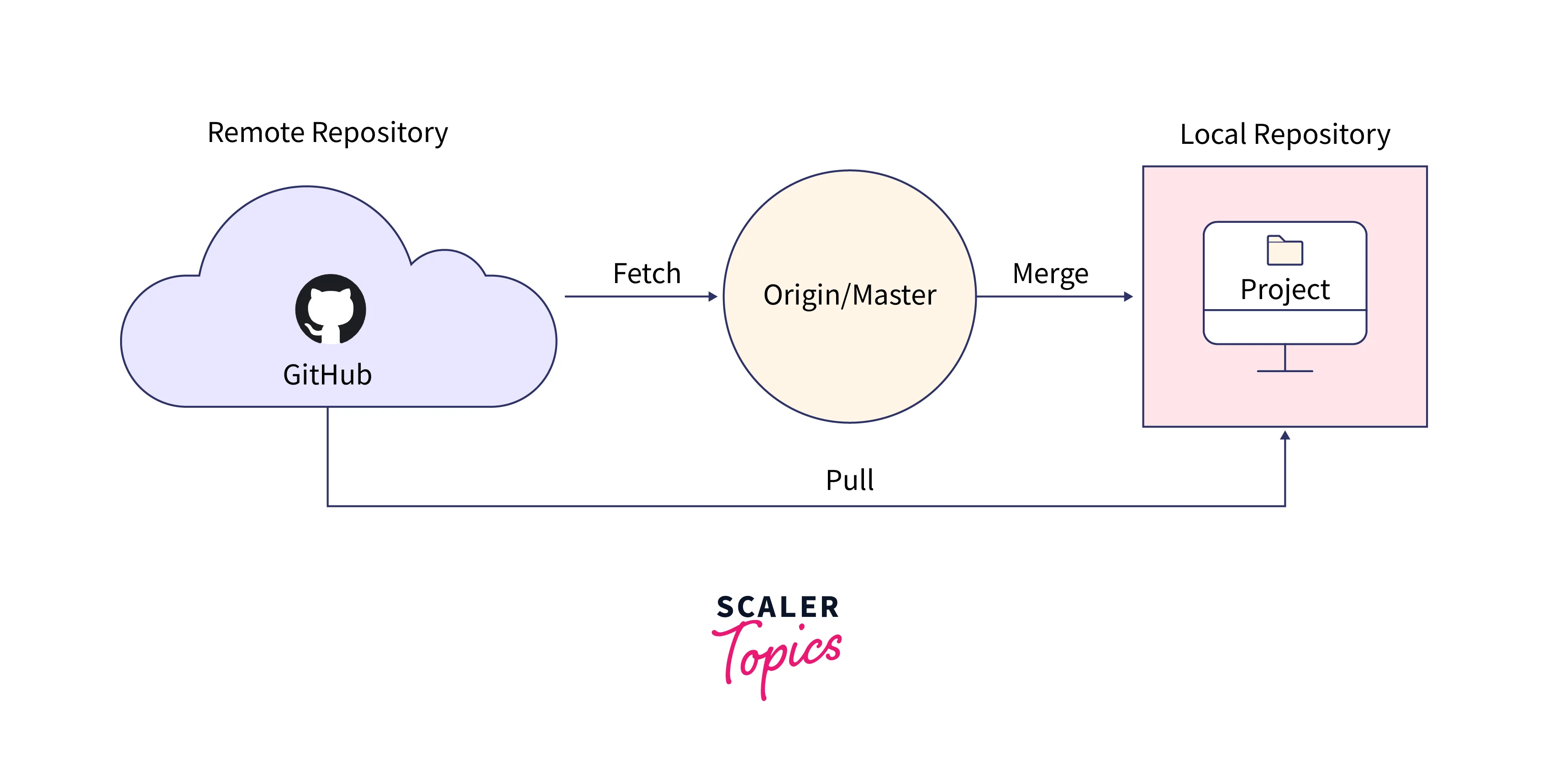
Merging pull requests is a crucial step in integrating completed feature developments or bug fixes into the main project branch. This process ensures that code contributions are systematically reviewed, incorporated, and finalized, maintaining the integrity and stability of the repository. Proper management of this phase supports collaborative workflows, minimizes conflicts, and promotes a clean project history.Merging pull requests involves combining the changes from a feature or development branch into a designated target branch, typically the main or master branch.
Git provides several options for this integration, each suited to different workflows and project requirements. Selecting the appropriate merge strategy and following best practices are essential to preserve code quality, facilitate easy rollbacks if necessary, and maintain a clear project timeline.
Procedures for Merging Pull Requests with Multiple Options
When finalizing a pull request, the project maintainer or collaborator performs the merge operation, which can be executed through both graphical interfaces (such as GitHub, GitLab, or Bitbucket) or via command-line instructions. The choice of merge method impacts the project history and how future changes are integrated.
Merge Commit
This method creates a new commit that combines the histories of the feature branch and target branch. It preserves the complete history of the feature development, providing clear traceability.
- Command-line example:
git merge –no-ff feature-branch
- It is preferred when maintaining a detailed project history with explicit record of feature integrations.
Squash and Merge
This approach condenses all commits from the feature branch into a single commit before merging. It results in a cleaner, linear history, especially advantageous when the feature branch contains multiple small or experimental commits.
- Graphical interface option: Selecting “Squash and merge” during pull request finalization.
- In Git CLI, this can be achieved by rebasing or squashing commits before merging.
Rebase and Merge
Reapplying commits from the feature branch onto the tip of the target branch creates a linear history without a merge commit. It simplifies history but requires careful handling to avoid conflicts.
- Command-line example:
git rebase main
- This method is suitable for maintaining a clean history and when the project prefers rebase workflows.
Precautions to Prevent Conflicts and Maintain Code Integrity
While merging is straightforward, conflicts can arise when concurrent changes affect the same parts of the codebase. Implementing precautions helps in preventing conflicts and ensures that the final integrated code remains consistent and functional.
- Regularly synchronize feature branches with the target branch during development to minimize divergence.
- Conduct thorough code reviews before merging to identify potential conflicts early.
- Run automated tests on pull requests to verify code integrity and prevent breaking changes.
- Use descriptive commit messages and maintain clear communication among team members regarding ongoing changes.
- When conflicts do occur, resolve them carefully, choosing the correct code segments and testing the combined code thoroughly afterward.
“Preventing conflicts is more about disciplined development practices than mere technical solutions.”
Post-Merge Steps for Finalizing the Integration
After successfully merging a pull request, certain follow-up actions are necessary to keep the repository clean and synchronized across various development environments.
Deleting feature branches
Once the feature branch has been merged, it’s recommended to delete it to prevent clutter and confusion. This step can often be performed directly through the hosting platform’s interface or via command-line:
- Command-line example:
git branch -d feature-branch
Syncing local repositories
Developers should update their local copies of the target branch by pulling the latest changes:
- Command-line example:
git checkout main
- Then:
git pull origin main
Confirming stability
Run automated and manual testing procedures to validate that the merged code functions as intended and that no regressions have been introduced.
Communicating completion
Notify team members about the merge completion, especially if further tasks or deployments depend on the latest code update.
Best practices for using git push and pull requests in team projects
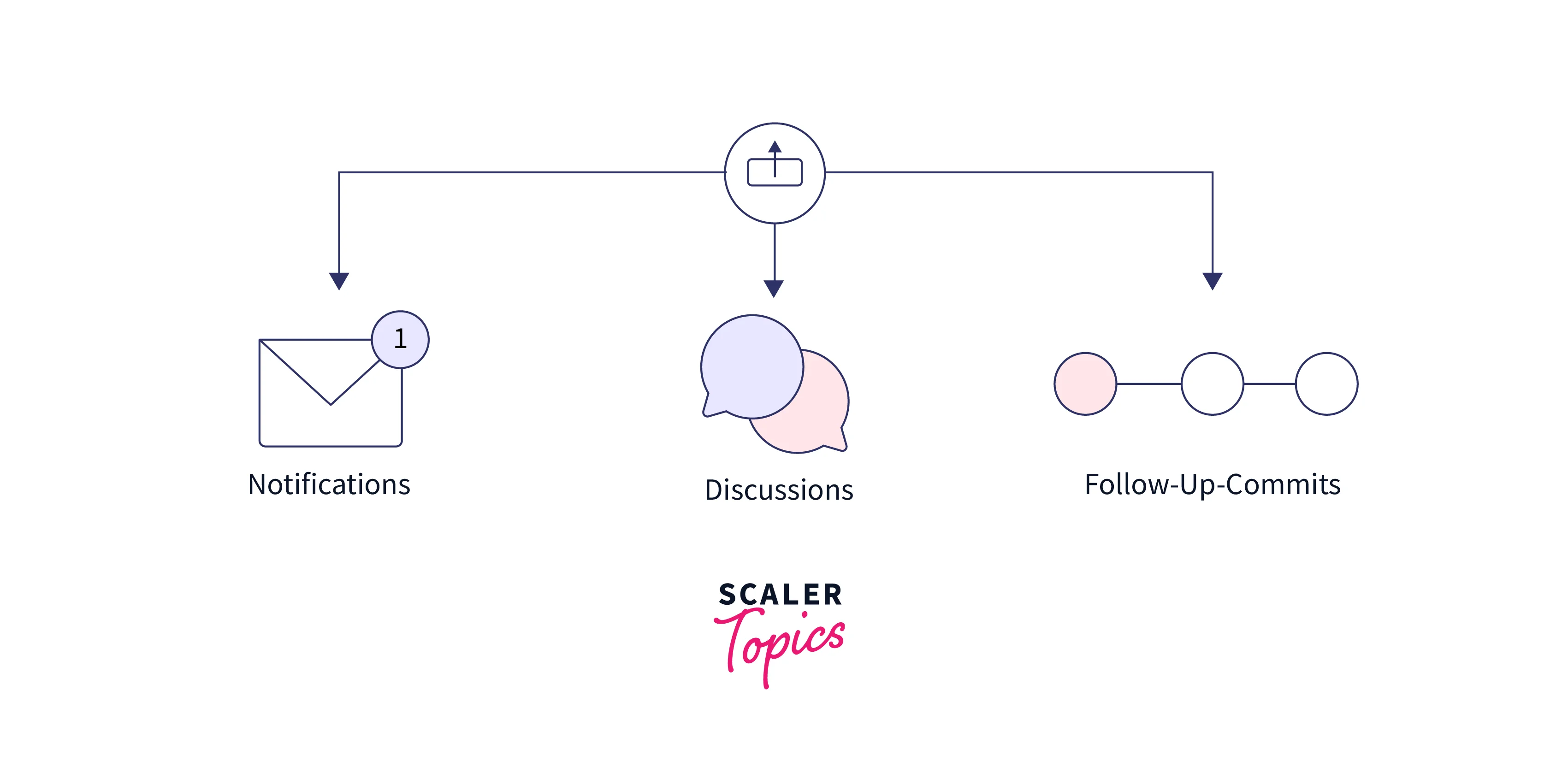
Implementing effective guidelines for git push operations and pull request workflows is essential for maintaining code quality, ensuring smooth collaboration, and streamlining project development. When teams adhere to structured practices, they reduce conflicts, improve review processes, and foster a more organized and efficient development environment.A strategic approach to utilizing git push and pull requests involves establishing clear conventions and integrating collaborative review cycles.
These practices help teams manage contributions systematically, facilitate prompt feedback, and maintain consistency across different development stages.
Guidelines for Commit Messages, Branch Naming Conventions, and Review Cycles
Effective collaboration relies heavily on the clarity and organization of commits, branches, and review workflows. Clear guidelines in these areas foster transparency, accountability, and ease of understanding among team members.
Commit messages should be concise yet descriptive, clearly indicating the purpose and scope of changes. A recommended format includes a short summary line (preferably under 50 characters), followed by a more detailed explanation if necessary. For example, “Fix login bug that causes session timeout” provides immediate insight into the change, while additional context can be added in the body of the message.
Branch naming conventions help identify the purpose of branches quickly, reducing confusion during collaboration. Common practices include prefixes such as feature/, bugfix/, or hotfix/, followed by descriptive identifiers like feature/user-authentication or bugfix/login-error. This structure enables team members to understand the branch’s intent at a glance and supports automated processes.
Review cycles should be scheduled regularly to ensure timely feedback and integration. Establishing a standard process, such as mandatory code reviews before merging pull requests, encourages accountability and improves code quality. Clear communication channels and defined review timelines foster a disciplined workflow and prevent bottlenecks.
Recommended Workflows for Different Project Sizes and Team Structures
Adapting workflows to the size of the project and team ensures efficiency and scalability. Different scenarios benefit from tailored approaches to git push and pull request procedures.
Small teams or individual projects often favor a simplified workflow where each developer works directly on the main branch or a single feature branch. Pull requests serve as informal code reviews, and merging can be immediate after passing tests and reviews.
Medium-sized teams typically adopt feature branch workflows, where each new feature or fix resides on its branch. Pull requests facilitate peer reviews, discussions, and approvals. Continuous integration (CI) tools automatically test changes, ensuring stability before merging. This structure supports parallel development and phased feature releases.
Large organizations and open-source projects often implement a more complex workflow, such as GitFlow or trunk-based development, involving multiple long-lived branches, release cycles, and rigorous review policies. Automated testing, code quality checks, and approval hierarchies are integrated into the process, ensuring consistency and high standards across distributed teams.
| Project Size | Workflow Type | Features |
|---|---|---|
| Individual/Small Teams | Simple Branching | Direct commits, minimal review, fast iterations |
| Medium Teams | Feature Branch with Pull Requests | Peer reviews, CI/CD integration, structured testing |
| Large Organizations | GitFlow or Trunk-Based Development | Multiple long-lived branches, formal approvals, automated quality gates |
The Role of Continuous Integration and Automated Testing in Pull Request Workflows
Integrating continuous integration and automated testing is vital for maintaining code integrity within pull request workflows. These practices enable teams to catch errors early, enforce coding standards, and accelerate development cycles.
When a pull request is created, automated CI pipelines are triggered to run a suite of tests, including unit, integration, and performance tests. This immediate feedback ensures that new contributions do not introduce regressions or violate project standards. For example, if a developer submits a feature branch for review, CI tools automatically verify that all tests pass before reviewers even begin their assessment.
Automated testing also extends to code quality checks, such as static analysis, linting, and security scans. These tools help enforce coding conventions and identify potential vulnerabilities, reducing manual review overhead and promoting best practices.
In larger projects, integrating automated deployment as part of the pull request process allows teams to validate changes in staging environments, ensuring that features work in real-world contexts before merging into production. This holistic approach fosters high-quality code, minimizes bugs, and streamlines the release cycle.
Conclusive Thoughts
In conclusion, mastering git push and pull request workflows is vital for effective collaboration in development projects. By following best practices and understanding the nuances of each process, teams can ensure smooth integrations, maintain high code standards, and foster a productive environment. Implementing these strategies will undoubtedly lead to more organized and successful project outcomes.